Three numbers decide whether self-hosting an open model makes sense for you. DeepSeek V4-Pro needs roughly 862 GB of GPU memory to hold its weights, which means 4 B300s, or roughly $265,000 to $275,000 of hardware at current market pricing. V4-Flash needs about 158 GB. Qwen3.6-27B fits on a single GPU.
Get those three straight and you have already sidestepped the most expensive mistake in this category, which is buying a top-tier platform for a model that never needed one. What the numbers will not tell you is the part that actually breaks deployments: the serving layer between the model and your users, and whether that hardware stays busy enough to beat paying per token.
This is what we’ve learned running these models on our own hardware, including a Grace Hopper node in our lab that we deliberately try to break so customers don’t have to. Below: what each model really requires, which is worth self-hosting, the four layers you need to operate above it, what fails at 50 users that worked at 5, and why published break-even estimates vary so widely.
The demo always works. That is the problem.
One model, one node, five test users looks clean. We can point five agents at that Grace Hopper node right now and it will perform beautifully. Deploy the same design for 50 users and it will not. The proof of concept scored 100% and the rollout falls over, because whatever failed was never in the proof of concept. It was the routing layer, or the sizing, or an automatic update nobody turned off.
Teams that reach out to us have usually already lived through that. They are not asking whether open models work. They are asking why the thing that ran perfectly in the lab is now waking someone up at 2am.
How much GPU memory do DeepSeek, Qwen, and Llama actually need?
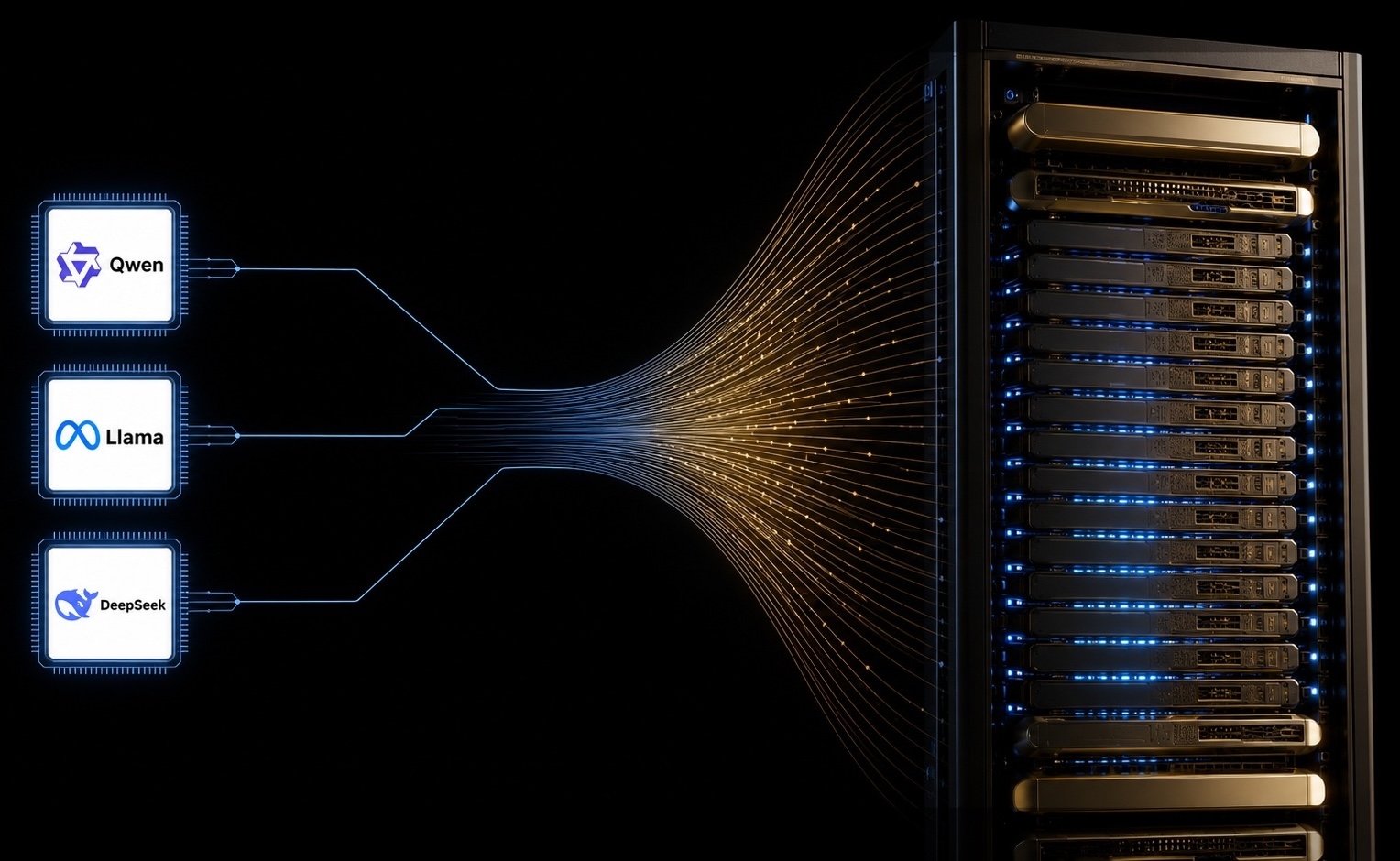
DeepSeek V4-Pro needs roughly 862 GB of GPU memory for weights alone in its native FP4 and FP8 mixed precision form. V4-Flash needs about 158 GB. Qwen3.6-27B and Qwen3.6-35B-A3B fit on a single high memory GPU. Llama 4 Scout needs about 218 GB, or roughly 55 GB quantized. Add key value cache on top of every one of those figures.
The number printed on a model card is not the number that matters, and this is where most sizing exercises go wrong. A trillion parameters sound like a trillion bytes. It is not. V4 ships its experts in FP4 natively, so the real footprint is roughly half what a naive parameter calculation produces.
Now put that against real hardware. NVIDIA’s enterprise reference architecture documentation lists 288 GB of HBM3e per B300, 180 GB per B200, and 141 GB per H200.
Four B300s. That is the honest answer for V4-Pro, or roughly $265,000 to $275,000 of hardware at current market pricing. Those 4 GPUs are then spoken for. They hold the model in memory so somebody can ask it a question, and they can do nothing else while they do it.
If concurrent demand outgrows one instance, you run the model twice, which still fits in one node. A third instance means a second node, and now you are routing requests between them too.
Which open model should you actually self-host?
Match the model to the requirement, not the headline benchmark. The distance between these tiers is an entire hardware class.
- Qwen3.6-27B or 35B-A3B: a single GPU serves it. If it clears your accuracy bar, take it. An H200 runs several side by side and you have avoided the Blackwell conversation entirely.
- Llama 4 Scout: single node territory, with a 10 million token context window if long documents are the real workload rather than a nice-to-have.
- DeepSeek V4-Flash: around 158 GB of weights, which is the practical entry point to frontier-class quality on hardware a mid-sized team can own outright.
- DeepSeek V4-Pro: a cluster commitment. Justify it on a workload that genuinely needs the top tier, because the memory it holds is not available for anything else while it holds it.
One thing worth adding. Running several models at once sounds efficient until you price it properly. Splitting a single GPU across workloads or tenants puts you into GPU virtualization, and NVIDIA states that vGPU for Compute is licensed exclusively through NVIDIA AI Enterprise. That is a software subscription on top of hardware you already paid for, and it tends to surprise people at the second budget conversation rather than the first.
The four layers between your agent and the model
Loading weights onto a GPU is the easy part. Serving them to an organization is a different job.
Our lab stack runs agent, then LiteLLM, then vLLM, then the container holding the model. That separation is intentional. The router handles load balancing and model switching, the engine handles memory and batching, and the container swaps for a different model without rebuilding anything above it. Build a new container, wait for it to warm, and you have a new model serving traffic rather than rebuilding the whole thing and repointing every client.
vLLM earns its place through memory handling. PagedAttention cuts key value cache fragmentation and enables continuous batching, which holds latency steady as concurrency climbs. It will also load balance across several small models at once, which is how you get real density out of a single node.
Model switching is where cold reality shows up. A model has to be resident in GPU memory to answer quickly. Ask for one that is not loaded and something else gets evicted while the new one loads. With a baked image that is tolerable. Without one, pulling weights from Hugging Face, building the image, and spinning up the container is a 20 minute exercise, and in plenty of environments it is still manual.
What breaks in production that never breaks in a pilot
These failures are soft. Nothing goes dark. Something behaves incorrectly and quietly until someone asks a question the system cannot answer. That is the reason we keep a lab node in a permanent state of being provoked.
- Partial driver updates. Part of the driver stack on our Grace Hopper node updated and part of it did not. Two instances tried to launch, both hung, and our monitoring reported 2 GPUs on a superchip that physically contains one. Nothing crashed. The system just started lying to us.
- The routing layer under real concurrency. Five agents is a demonstration. 50 is a load balancing problem, and it is the layer nobody stress tested because the pilot never needed one.
- Shared memory between tenants. A container is a weaker boundary than a network segment, and high bandwidth memory does not partition the way storage or a VLAN does. If two of your customers compete with each other, they cannot share a physical GPU. One on a GPU and the other on the next GPU in the same server is fine. Two containers on the same card is not.
- The audit request nobody planned for. A customer asks for an audit trail 18 months in and the trail shows they were sharing infrastructure with their closest competitor. Nothing technically failed. That is still a failure.
Teams that handle this well treat the serving layer as infrastructure, with an owner, a change process, and somewhere to test updates first. Treat it as glue code around a model and it behaves like glue code. We made the same case from a different angle in this Private LLM article.
Why the break-even calculators all disagree with each other
Search for the volume at which self-hosting beats an API and published estimates range from tens of millions of tokens a month to several hundred billion. That spread is the useful signal. Nobody can price your deployment from the outside, because the dominant variable is not token volume. It is how busy the hardware is.
Run a model for staff who work 9 to 5 and the node sits unused for 16 hours a day. Nothing about that is a cost saving. It is a capital expense with an idle problem attached.
Utilization also means different things depending on who is asking, which changes what any number is worth.
We watch the gap between those first two rows constantly. A capacity owner reports 99% and is genuinely satisfied, because their product is contracted time. The tenant inside that contract pushes active compute for part of the day and books the rest as insurance against not getting hardware later. Both parties are behaving rationally. The GPUs are still idle. That mechanic is what produces the industry figure we unpacked in The 5% Problem, where measured telemetry across roughly 23,000 enterprise clusters put average utilization at 5%.
The other decision that quietly sets your denominator is scope. If a cluster has to run training, fine tuning, and inference, it gets built for the hardest of the three. Training needs a high performance east-west fabric that inference barely touches, and that fabric is real capital sitting inside every return calculation you run afterward, whether or not the training workload arrives at forecast volume.
The levers that close the gap are operational rather than architectural. Push batch and fine tuning work into the 16 hours nobody is at a keyboard. Reclaim capacity automatically from teams that finished an experiment weeks ago. Put genuine surplus onto an on-demand marketplace overnight with automatic reclaim, assuming your security team signs off, because plenty of regulated environments never will. Most of that is scheduling discipline, covered further in GPU cluster orchestration and scheduling.
Three questions before you sign the purchase order
We are not going to tell you self-hosting is the right call, because for plenty of teams it is not. The teams who get it right answered these three before they bought anything. Most teams have not, and that is not a criticism. These only become obvious after you have run into them.
- What is the smallest model that clears your accuracy bar? Answer honestly and you may drop an entire hardware tier.
- Who owns the serving layer on the day it breaks? Not the model. The router, the engine, the images, and the update policy.
- What runs on this hardware between 6pm and 9am? If there is no answer, the business case is not finished.
Each one changes the answer to the others. A smaller model shifts what the serving layer has to handle. A stack built for one behaves differently when a second arrives. Idle hours only matter once you know what the hardware cost. Work them separately and you get three reasonable answers that do not add up to a working deployment.
That is the conversation we have most weeks with teams sizing GPU servers and private AI cloud builds against the models they actually intend to run. Reach our infrastructure team here. Bring your token volumes and your working hours. Those two numbers open up the rest.
Sources
- NVIDIA Enterprise Reference Architectures, HGX AI Factory components
- NVIDIA AI Enterprise documentation, vGPU for Compute licensing
- DeepSeek API change log, V4-Pro and V4-Flash
- DeepSeek V4 VRAM and GPU requirements, triangulated across model cards and deployment guides
- DeepSeek V4 self-hosting with vLLM, hardware and deployment guide
- Qwen3.6-35B-A3B model card, Hugging Face
- Qwen3.6-27B model card, Hugging Face
- Meta, Open Source AI, Llama 4 Scout and Maverick
- Cast AI 2026 State of Kubernetes Optimization Report, reported by Data Center Knowledge
- Blackwell system pricing guide, August 2026