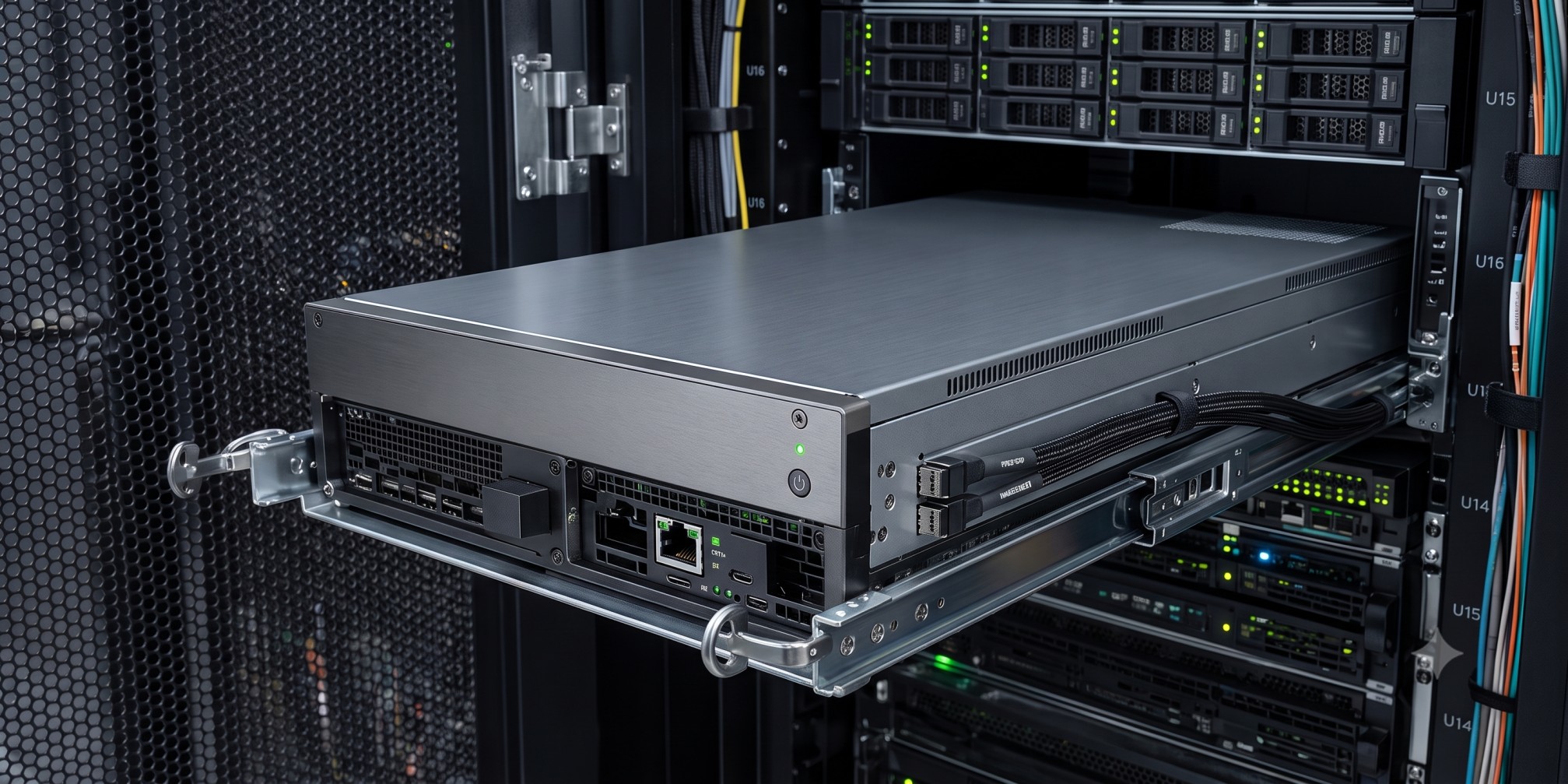
Earlier this year we were asked to look at a GPU cluster in the southeastern United States. About $20M of hardware, racked, powered, and 4.5 months past installation, and it had barely completed a productive job. The team that cabled it had used 20-meter and 30-meter InfiniBand cables where 3-meter runs belonged, then bundled the slack behind the servers, directly against the hot exhaust. Servers crashed from overheating. Fiber cooked until links started dropping at random. Nobody sold that customer bad hardware. They were sold a bad outcome.
Stories like that one are more common than the industry admits, and they almost never trace back to the GPUs. What decides how much useful work a cluster produces is everything around the silicon: the network design, the orchestration and scheduling layer, and the discipline of daily operations. This article breaks down where multi-node clusters lose performance, the design choices that prevent it, and the questions worth asking before you sign off on one.
Why do multi-node GPU clusters fail to deliver the performance you paid for?
Those numbers deserve a moment. The industry is buying accelerators faster than it is learning to keep them busy, and the failure patterns rarely show up in a procurement spreadsheet:
- Allocated but idle GPUs. A GPU can be reserved by a team, reported as busy, and still sit near zero because the job feeding it is bottlenecked somewhere else. Utilization dashboards measure allocation, not productivity.
- Non-linear scaling. Doubling node count does not double throughput. In multi-node training, every GPU exchanges traffic with every other GPU on each step, so the network becomes the multiplier on everything you bought. A weak fabric caps 64 nodes at the effective output of far fewer.
- Fragmentation. Jobs that need 8 contiguous GPUs stall behind scattered 1-GPU and 2-GPU allocations, leaving capacity stranded across the cluster.
- Failure amplification. At cluster scale, component failures stop being rare events and become part of the weekly routine. The design question is whether one failure costs you a node or an entire run.
Training and inference break in different ways
The 2 halves of an AI workload have opposite failure economics, and a cluster should be designed around whichever one pays its bills.
Inference is forgiving. When a node crashes because a network interface card (NIC) dies, an optic fails, or a drive gives out, the scheduler moves the workload and users barely notice. So the design goal for inference is density and uptime: run as close to full capacity as possible, grow only when demand forces it, and let redundancy soak up the routine failures. Redundant network paths, drive layouts, power supplies, and dual ISP connections mean most single failures never reach a user.
Training is brutal. A large run is one synchronized operation across every GPU in the cluster, and it is only as resilient as its most fragile link. In Meta’s own account of training Llama 3 on a 16,384 GPU cluster, the 54-day run logged 419 unexpected interruptions, roughly 1 every 3 hours, with 58.7% traced to GPU and related hardware issues. Every one of those meant rolling back to a checkpoint and re-running lost work. You can checkpoint more often, but that costs storage and slows the run. It is a tax either way, and the only real lever is preventing the interruptions.
What is a multi-plane GPU network and why does it matter?
This is the single most effective resiliency idea to come out of frontier-scale training, and DeepSeek documented it in the open. Its ISCA 2025 hardware paper describes the 8-plane, 2-layer fat-tree behind the 2,048 GPU cluster that trained DeepSeek-V3: every GPU and NIC pair gets its own network plane, so congestion or a fault in one plane never touches the others. The economics land in the same direction. DeepSeek’s published cost analysis works out to about $4,390 per network endpoint for its multi-plane 2-layer topology, versus roughly $7,500 per endpoint for the traditional 3-layer fat-tree it replaced.
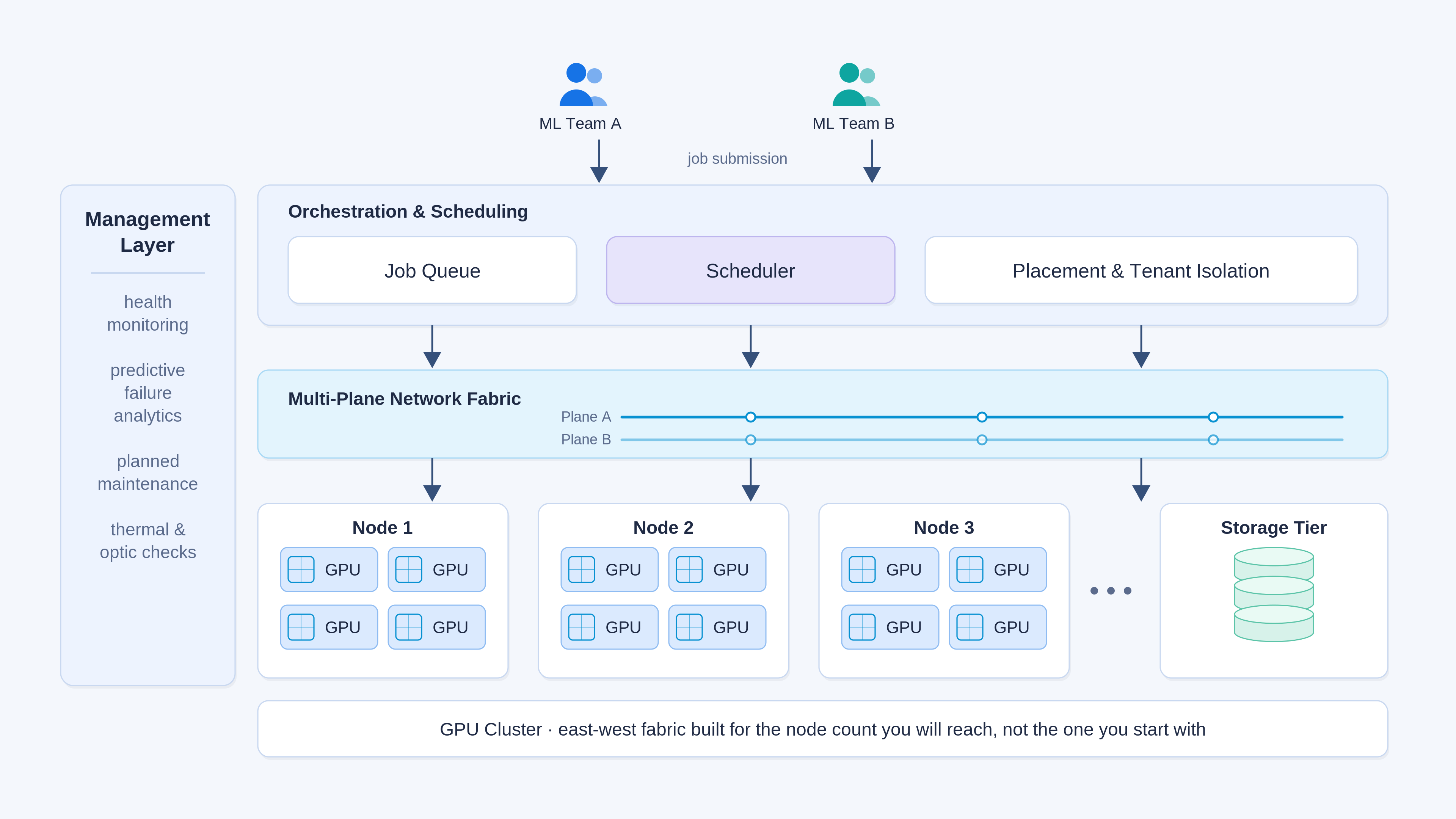
The same idea scales down to enterprise clusters, because current-generation NICs carry 800 Gb/s per GPU and will happily run as 2 parallel 400 Gb/s planes instead of one flat fabric. We build our training fabrics biplanar for exactly this reason: lose an optic, a fiber, or an entire switch at hour 60 of a 72-hour run and the job keeps training at 400 Gb/s until the part is swapped. Yes, it means more switches. On any sizable cluster, the first training run it saves has usually paid for them.
Scale is a decision you make on day one
"We will start with 8 nodes and grow to 64" sounds like a procurement plan. It is actually a network design constraint, because in a training cluster every GPU must talk to every GPU. Build the east-west fabric only for the starting footprint and every expansion becomes a maintenance window: nodes out of service, recabling, revalidation. Build it for the target size on day one and expansion is just racking servers. The second option costs more up front, and it is almost always the right call. When the budget truly will not stretch, the honest move is pricing planned maintenance windows into the roadmap instead of discovering them later.
Storage hides the same trap in quieter form. Distributed storage systems lock in core efficiency ratios, how data and redundancy are striped across nodes, the day the cluster is first built. A layout that makes sense for 7 storage nodes can be badly inefficient stretched across 50, and by then it is expensive to unwind. We have had that conversation with customers more than once, and it always goes better before the first order ships.
Multi-site growth adds an orchestration problem on top of the hardware one. Once workloads span locations, you need a single view of every site, tenant separation so each team or customer sees only its own infrastructure, and placement logic deciding where jobs run. This is a layer worth buying rather than building: vCluster handles multi-tenant, single-pane management across sites particularly well, and Shadeform has built a strong platform for operating capacity across GPU clouds. Inference wants to sit close to users, or pinned to the site holding the right hardware. Training barely cares where it lives as long as the power is cheap, reliable, and contiguous. The scheduling itself is a solved problem if you adopt the tooling: Slurm remains the workhorse for training queues, and it is what we run our own clusters and test environments on, with Kubernetes-based stacks serving inference.
The management layer decides your uptime
The difference between a cluster that hits its targets and one that misses them is mostly invisible from the outside. It is the operational work that stops failures from ever reaching a workload.
Predictive failure analytics have matured into something you can plan around. Modern switching platforms forecast optic failures accurately enough to act on, which is a big part of why Arista is our default choice in these builds: before kicking off a 72-hour run, an operator can pull the forecast, see which optics are likely to die inside the window, and replace them first. Thermals tell the same kind of story. A GPU running consistently hot, or a node quietly accumulating dust, is the statistically likely dropout on the next long job, and swapping it on your schedule is far cheaper than on the workload’s.
Some of it you only learn by operating fleets. On some current-generation GPUs, we schedule full power drains at fixed intervals, because extended uninterrupted uptime can build up bus errors that knock GPUs offline mid-job. A 20-minute planned event, and it prevents the kind of failure teams otherwise chase for weeks as unexplained crashes. New silicon needs the most patience of all: when Hopper first shipped, early fleets dealt with persistent unexpected downtime while firmware and drivers matured, the same churn that runs through Meta’s Llama 3 failure log, and each new generation repeats some version of that curve. None of this is exotic. It is the difference between infrastructure that is monitored and infrastructure that is managed.
What should a CTO ask before signing off on a GPU cluster?
- Network: Is the east-west fabric designed for the cluster we will have in 2 years, and is it single-plane or multi-plane?
- Storage: Does the storage architecture stay efficient at our target node count, or does it lock in today’s ratios?
- Orchestration: What manages job scheduling, placement across sites, and tenant separation, and who operates it?
- Resilience: Where are the single points of failure? The baseline should include redundant NICs, power, discrete fiber paths, and a minimum of 2 ISPs.
- Metrics: Which number decides whether this project succeeded, and is the integrator accountable to it?
The last one matters more than the other 4 combined, and it is the one integrators skip. ROI is not always a dollar figure. Sometimes it is a private investment group renting the cluster out and expecting a yield. More often it is a product team that has done the math on shipping 3 months sooner. Either way, that target existed inside your business long before any vendor showed up. An integrator who never asks what it is has told you exactly how the project will be measured: not at all.
The fix was never the hardware
The $20M cluster from the top of this article is earning now. What fixed it was correct cable lengths, a rebuilt airflow path, and a management layer that catches failures before they reach a workload. Not one new GPU. That is the pattern we see over and over: clusters do not underdeliver because the silicon was wrong, they underdeliver because nobody owned the gap between installed and operational.
So before your purchase order goes out, decide who owns that gap for you. If you have a distributed systems team in-house, arm them with the 5 questions above. If you do not, that ownership is exactly what we built Arc Compute to provide, from architecture and procurement through deployment and day-2 operations. Our breakdown of the 5 GPU infrastructure challenges we hear every week shows where these conversations usually start, and our framework on when an AI startup should move off the cloud covers the economics that bring most teams to this decision. Bring us the workload and the ROI target while the cluster is still a sketch. That is when the expensive mistakes are still free to fix.
Sources
- ClearML / AI Infrastructure Alliance, The State of AI Infrastructure at Scale 2024
- Meta, The Llama 3 Herd of Models (training reliability data)
- DeepSeek, Insights into DeepSeek-V3: Scaling Challenges and Reflections on Hardware for AI Architectures (ISCA 2025)
- NVIDIA Enterprise Reference Architecture, HGX AI Factory components