AI infrastructure will contribute approximately $401 billion in additional spending during 2026. Yet production telemetry from non-optimized Kubernetes clusters shows average GPU utilization at just 5%, meaning roughly 95% of provisioned capacity spends much of its life waiting for work.
Record spending and record waste are scaling together.
Through the early years of the AI buildout, the dominant story in infrastructure was scarcity. Teams fought for allocations, lead times stretched into quarters, and holding capacity felt like winning.
That era left behind a quieter problem now surfacing on balance sheets: fleets bought or reserved at premium prices that have never been put to sustained work.
This article breaks down where the 5% figure comes from, why GPU fleets sit idle, and the practical levers that close the gap.
What Is the 5% Problem in Enterprise GPU Utilization?
The 5% problem refers to the finding that GPU utilization can average just 5% in non-optimized enterprise Kubernetes environments, meaning roughly 95% of provisioned capacity sits idle or underused.
The figure comes from telemetry measured across tens of thousands of Kubernetes clusters running on AWS, Google Cloud, and Microsoft Azure.
The methodology matters. These are direct measurements from production clusters collected between January 2025 and April 2026. They are not survey responses where teams estimate their own efficiency. Self-reported utilization tends to flatter. Measured utilization does not.
There are important caveats. The dataset reflects containerized enterprise environments rather than every AI deployment. The same data includes an example of an organization sustaining close to 49% utilization on a fleet of H200 GPUs, roughly ten times the average. That gap is mostly a matter of technique, not hardware.
Even granting those caveats, the central finding holds: across thousands of real environments, the gap between paid-for GPU capacity and useful GPU work is enormous, and it is not closing on its own.
The Numbers Behind Idle GPU Fleets
What makes the GPU figure more striking is the direction of travel across the rest of the stack.
The same operational measurements show CPU utilization falling from 10% to 8% year over year, while memory utilization dropped from 23% to 20%. CPU overprovisioning rose from 40% to 69%, and memory overprovisioning reached 79%.
Efficiency is moving backward at exactly the moment AI adoption is pushing far more expensive hardware into enterprise environments.
For infrastructure teams, this shift is elevating GPU utilization from a niche operational metric to a core measure of AI infrastructure efficiency.
As organizations invest in larger clusters, the practices that keep those clusters busy are becoming core infrastructure disciplines: monitoring actual GPU activity, scheduling work efficiently across the fleet, reclaiming idle capacity, and planning future capacity against measured demand rather than forecasts.
Organizations spent years optimizing for GPU acquisition. The next phase of AI infrastructure maturity will be defined by GPU utilization.
The financial asymmetry is what turns low utilization from an engineering footnote into a board-level issue. Idle CPU capacity has always existed in the cloud era, but unit costs were small enough to ignore.
GPU economics remove that cushion.
A GPU sitting idle can waste dollars per hour. A CPU sitting idle often wastes cents.
That difference matters when AI infrastructure budgets are expanding and executives are looking for measurable return on capital.
Why Do Enterprise GPUs Sit Idle?
Enterprise GPUs sit idle because capacity is often procured ahead of demand and held out of fear of losing access to scarce hardware.
Meanwhile, the workloads that do run are frequently slowed by padded resource requests, scheduling fragmentation, stalled data pipelines, and abandoned sessions.
The result is structural overprovisioning that standard dashboards rarely expose.
No single failure produces a 5% fleet. The pattern emerges from several reinforcing behaviors.
1. Capacity Hoarding Ahead of Demand
Most GPU overbuying traces back to fear.
Teams acquire capacity before demand fully materializes because they are worried they may not be able to get the same hardware later. Rising prices make teams even less willing to release capacity, since giving GPUs back today may mean paying more to recover them tomorrow.
That behavior is understandable. It is also expensive. Capacity reserved for future demand still costs money today.
The squeeze is sharpest for AI startups, where compute is usually the single largest line on the income statement. Capacity reserved against demand that has not arrived yet is runway burning quietly in the background, which is why early-stage teams feel idle GPUs faster than anyone else.
2. Padded Requests and Static Configurations
Engineers often inflate resource requests to avoid throttling, failed jobs, and out-of-memory errors.
Autoscalers then treat those padded requests as genuine demand and provision nodes to match.
Settings made at deployment are rarely revisited as workloads evolve. Over time, infrastructure becomes sized around worst-case assumptions rather than observed usage.
The result is predictable: clusters that look fully allocated but are not fully productive.
3. Scheduling Fragmentation
Distributed AI jobs often need GPUs co-located on a single node, rack, or fabric. Partial allocations can strand the remaining capacity.
In large-scale AI platforms, GPU sharing and placement decisions can create fragments too small to schedule effectively. The cluster appears to have available resources, but those resources cannot satisfy the next workload request.
That is where scheduling discipline becomes critical.
Gang scheduling, topology-aware placement, and better quota management can reduce stranded capacity and improve useful GPU hours.
4. Pipeline Stalls and Orphaned Jobs
Not every allocated GPU is doing useful work.
Infrastructure teams often encounter idle patterns such as:
CPU-only preprocessing jobs occupying GPU nodes
- Stuck jobs that appear active but are no longer progressing
- Delays from container downloads
- Data-fetching bottlenecks
- Interactive sessions left running after users walk away
From the scheduler’s point of view, the GPU is occupied.
From the business’s point of view, expensive hardware is doing very little.
That distinction is where many utilization problems hide.
5. Human Work Rhythms
Clusters tuned to business hours in a single region often sit idle overnight and on weekends.
Some utilization fluctuation is unavoidable, since development, experimentation, and training cycles rarely run at steady rates.
But many organizations can achieve significantly higher utilization than 5% through better scheduling, workload orchestration, automated resource reclamation, and shared capacity across teams and time zones.
A low-utilization fleet is not always a demand problem.
Often, it is an operating model problem.
Why Idle GPUs Keep Getting More Expensive
Underutilization was tolerated for years because compute prices were expected to fall.
That assumption is breaking down in high-end AI infrastructure.
In early 2026, AWS Capacity Block pricing for H200-class instances rose by roughly 15%, a rare upward shift in compute pricing. Holding idle capacity in a falling market is inefficient. Holding it in a rising market is expensive.
The usual relief valves are also narrower for GPUs than they were for general-purpose compute.
Spot capacity, the classic cloud cost optimization mechanism, remains difficult to rely on for high-end AI infrastructure, where H100 and H200 availability is too inconsistent for production workloads that need predictable accelerator access.
Meanwhile, many organizations have locked GPU capacity into traditional 3- to 5-year depreciation schedules, so yesterday’s overbuying keeps flowing through the income statement regardless of what runs on the hardware.
And the cost basis is still climbing.
AI-optimized servers are becoming more expensive as memory, power, networking, and cooling requirements all move in the same direction. Every idle hour wastes a pricier asset than the one before it.
Nothing in the near-term supply picture suggests that waste becomes cheaper soon.
How Can Infrastructure Teams Fix GPU Utilization?
Improving GPU utilization starts with measuring actual GPU activity rather than allocation.
From there, teams can raise workload density through hardware partitioning, smarter scheduling, and automated reclamation of idle resources.
The structural lever comes last but matters most: sizing the fleet, and the financial model behind it, to measured demand instead of worst-case forecasts.
1. Measure Activity, Not Allocation
A dashboard showing every GPU assigned says very little about work performed.
Infrastructure teams need visibility into:
- GPU compute utilization
- GPU memory utilization
- Per-job activity
- Queue wait times
- Idle periods
- Resource contention
- Jobs holding GPUs without meaningful progress
A GPU can be allocated, powered on, and unavailable to other users while doing little useful work.
Once teams can see idle hours clearly, behavior changes: hoarding weakens, configuration improves, and reclamation becomes easier to justify.
2. Partition and Share the Hardware
Many production workloads, particularly lightweight inference and development jobs, occupy a full GPU while using only a fraction of it.
Consolidating these workloads through partitioning and sharing can raise per-GPU throughput density.
Three sharing approaches dominate: Multi-Instance GPU (MIG), Multi-Process Service (MPS), and time-slicing. The table below compares how each works and where it fits.
The right approach depends on workload type, tenant isolation requirements, performance sensitivity, and operational maturity.
3. Schedule for Density
Scheduling is where fragmentation gets fixed.
Gang scheduling starts distributed jobs only when all required GPUs are available, so partial allocations do not strand hardware.
Quota borrowing lets idle team budgets flow temporarily to busy teams.
Topology-aware scheduling places workloads where GPUs, CPUs, memory, storage, and network paths align with the job’s actual requirements.
And one of the oldest techniques still works: sharing a fleet across time zones, so hardware that would sit dark overnight in one region can serve daytime demand in another.
The objective is simple. Maximize useful work per GPU hour.
4. Right-Size the Fleet and the Financial Model
The deepest fix is structural. A fleet sized to worst-case forecasts will idle by design. A fleet sized to observed demand, with a plan for peak overflow, can run much hotter.
Ownership also changes the math.
On hourly billed capacity, every idle hour is a visible loss. On owned fixed-cost infrastructure, every additional point of utilization lowers the effective cost of each job.
The size of that lever is easy to underestimate. In Arc Compute’s own modeling of a representative cluster, three-year return versus public cloud runs from roughly 198% on spare-capacity rental alone to 350% when about 30% of idle time is recovered, depending on the workload. On infrastructure you own, utilization is the variable that moves the economics most.
That is why capacity planning cannot stop at “how many GPUs do we need?”
The better questions are:
- What workloads will actually run?
- How steady is demand?
- Which workloads need dedicated capacity?
- Which workloads can share capacity?
- What utilization target is realistic?
- What should be owned, reserved, or burst externally?
- How will the fleet evolve as training and inference demand changes?
Those questions belong at the beginning of the procurement process, not after the hardware is already deployed.
Why Utilization Planning Should Happen Before Procurement
Most utilization fixes are software and process changes applied after the hardware arrives.
The quieter truth is that utilization is largely set before a single GPU is racked.
A cluster shaped poorly for its workloads will idle even under excellent scheduling.
Underpowered host CPUs can starve GPUs during preprocessing. An undersized fabric can leave accelerators waiting on synchronization. Capacity bought for training can sit underused when the real workload mix turns out to be inference-heavy.
That is why utilization planning belongs in procurement, not just operations.
Workload profiling, node architecture, fabric selection, memory footprint, cooling, and capacity phasing all determine how busy a fleet can ever be.
For example, the decision between InfiniBand and Ethernet is not only a networking choice. It affects training performance, cluster efficiency, cost, scaling strategy, and long-term utilization.
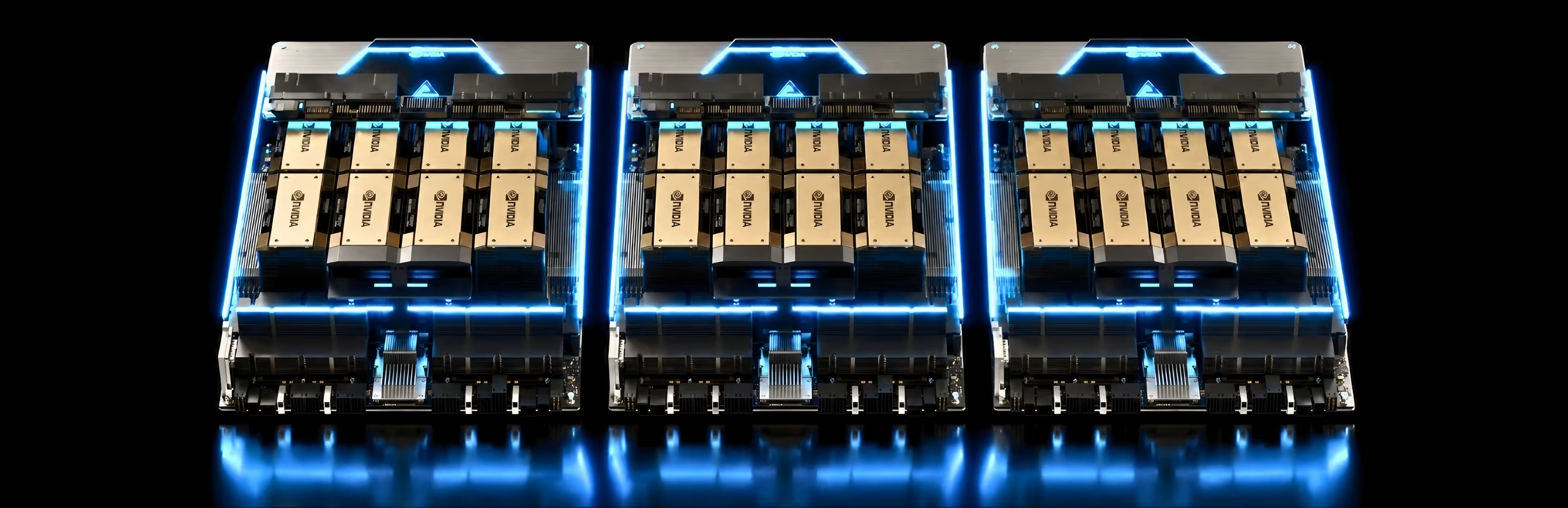
This is where Arc Compute spends most of its time with clients: profiling what will actually run, then designing HGX H200 or B300 class systems the organization can keep busy.
Utilization Is the New Capacity Planning
The strategic question in AI infrastructure used to be where to find GPUs.
The harder question now is why the GPUs an organization already pays for are not running.
That answer usually points at architecture, scheduling, procurement, workload design, and operating discipline rather than simple capacity shortage.
Teams that answer it honestly tend to discover they need better-shaped capacity, not simply more of it.
In most organizations, that realization arrives one budget cycle later than it should.
As AI infrastructure matures, utilization will become one of the clearest indicators of operational discipline. The winners will not simply be the organizations with the largest GPU fleets.
They will be the organizations that extract the most value from every accelerator they deploy.
Build Infrastructure Around Workloads, Not Assumptions
If your organization is planning its next GPU deployment, or trying to understand why the current one is underused, it is worth pressure-testing the assumptions behind the fleet before adding more capacity.
Arc Compute helps infrastructure and machine learning leaders make those calls early, then deploys and manages the systems that result, from single nodes to full clusters.
The fastest way to reduce AI infrastructure costs is often not buying fewer GPUs. It is increasing utilization of the GPUs you already have.
Start by measuring the gap between allocated capacity and actual work performed, then build infrastructure around real demand instead of assumptions.
Frequently Asked Questions
- What is a good GPU utilization rate?
There is no universal target, but a well-run mixed enterprise fleet can sustain far more than the 5% average. A reasonable human-managed baseline sits around 30% once normal day, night, and weekend cycles are accounted for, and fully optimized fleets with mixed development, staging, and production workloads often hold 40% to 70%. The right target depends on the workload mix, not on the hardware.
- Why does an idle GPU cost more than an idle CPU?
The economics are different. An idle CPU core wastes cents per hour, while an idle GPU can waste dollars per hour. With AI server costs rising across memory, power, networking, and cooling, every idle GPU hour wastes a more expensive asset than the one before it, which is what turns low utilization from an engineering footnote into a board-level issue.
- Does GPU sharing reduce performance?
It depends on the method and the workload. Multi-Instance GPU (MIG) gives strong isolation and predictable performance per tenant. Multi-Process Service (MPS) raises density across a wider range of GPUs but offers weaker isolation, so it suits trusted workloads. Time-slicing works on many GPUs with simple setup but provides no isolation and less predictable tail latency under load. The aim is to stop dedicating a full accelerator to a job that uses only a fraction of one, not to force every workload into maximum sharing.
- How do you measure real GPU utilization instead of allocation?
Allocation shows which GPUs are assigned. Real utilization needs activity-level telemetry: GPU compute and memory utilization, per-job activity, queue wait times, idle periods, resource contention, and jobs that hold GPUs without making progress. A GPU can be allocated and powered on while doing very little useful work, and that is exactly the gap standard allocation dashboards miss.
- Is 5% GPU utilization normal?
It is common in non-optimized enterprise Kubernetes environments, which is what the underlying measurements covered. It is not a hardware limit. The same dataset includes fleets running an order of magnitude higher, and the difference comes mostly from scheduling, procurement, and operating discipline rather than the GPUs themselves. The figure also excludes dedicated training environments at AI labs, which typically run much higher.
Sources
- Cast AI, 2026 State of Kubernetes Optimization Report https://cast.ai/reports/state-of-kubernetes-optimization/
- Cast AI press release, April 2026 https://cast.ai/press-release/2026-state-of-kubernetes-optimization-report/
- Cast AI blog, 2026 Kubernetes resource optimization findings https://cast.ai/blog/2026-state-of-kubernetes-resource-optimization-cpu-at-8-memory-at-20-and-getting-worse/
- Gartner, Worldwide AI Spending Forecast, January 15, 2026 https://www.gartner.com/en/newsroom/press-releases/2026-1-15-gartner-says-worldwide-ai-spending-will-total-2-point-5-trillion-dollars-in-2026
- SDxCentral, Kubernetes efficiency is going backwards as AI drives GPU waste, April 2026 https://www.sdxcentral.com/news/kubernetes-efficiency-is-going-backwards-as-ai-drives-gpu-waste/
- VentureBeat, Why enterprise GPU utilization is stuck at 5%, April 2026 https://venturebeat.com/infrastructure/fomo-is-why-enterprises-pay-for-gpus-they-dont-use-and-why-prices-keep-climbing
- VentureBeat, 5% GPU utilization: the $401 billion AI infrastructure problem, 2026 https://venturebeat.com/infrastructure/5-gpu-utilization-the-401-billion-ai-infrastructure-problem-enterprises-cant-keep-ignoring
- NVIDIA Technical Blog, Making GPU Clusters More Efficient with NVIDIA Data Center Monitoring Tools, November 2025 https://developer.nvidia.com/blog/making-gpu-clusters-more-efficient-with-nvidia-data-center-monitoring/
- NVIDIA Technical Blog, Maximize AI Infrastructure Throughput by Consolidating Underutilized GPU Workloads, March 2026 https://developer.nvidia.com/blog/maximize-ai-infrastructure-throughput-by-consolidating-underutilized-gpu-workloads/
- Data Center Knowledge, AI Demand Surges as Billions in Compute Remain Locked, May 2026 https://www.datacenterknowledge.com/infrastructure/ai-demand-surges-as-billions-in-compute-remain-locked
- Dataconomy, Tech Industry Averages Just 5% GPU Utilization, April 2026 https://dataconomy.com/2026/04/23/tech-industry-averages-just-5-gpu-utilization-report-finds/
- ACM SoCC, Defragmentation Scheduling with Deep Reinforcement Learning (Alibaba PAI fragmentation data) https://dl.acm.org/doi/10.1145/3772052.3772242