Most AI infrastructure programs do not fail at the point of purchase. They fail between the purchase order and the first production workload, where power capacity, storage throughput, cabling discipline and cluster operations decide whether the hardware ever earns its cost back.
The size of that gap is measurable. According to Cast AI's 2026 State of Kubernetes Optimization Report, built from telemetry across roughly 23,000 production clusters running on Amazon Web Services, Google Cloud and Microsoft Azure, average GPU utilization sat at 5%. That is capacity teams competed to secure, paid a premium to hold, then left waiting for work. We covered the mechanics of that in the 5% problem.
Turnkey GPU clusters exist to close that gap. This guide covers what they include, how they get sized, what the timeline and cost structure look like, and what tends to break once the cluster is live. Before any of that, the customer needs to be clear on where they stand today, what business objective they are pursuing, and on what timeline. That business KPI is what later translates into the technical requirements of the cluster.
What is a turnkey GPU cluster?
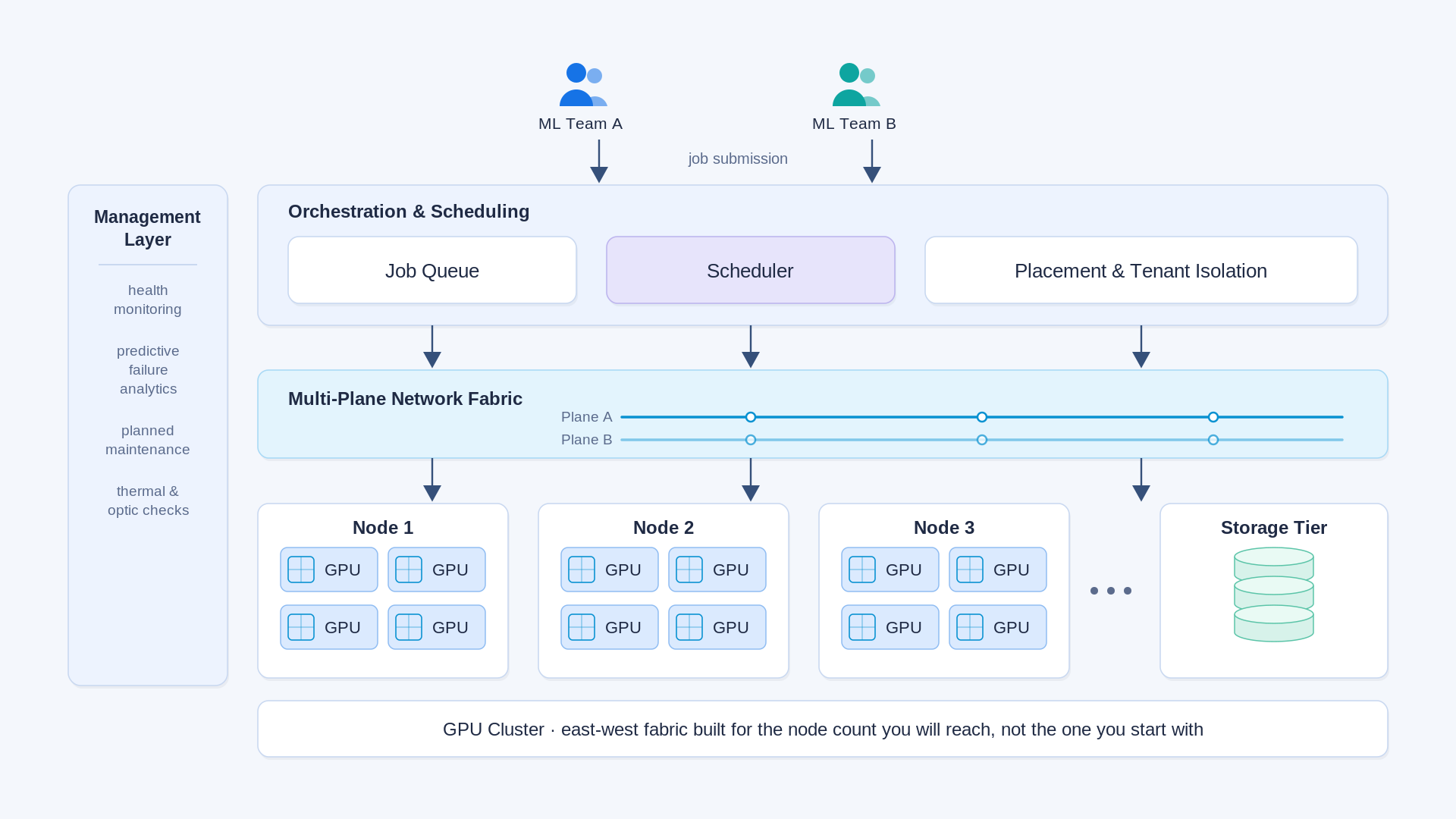
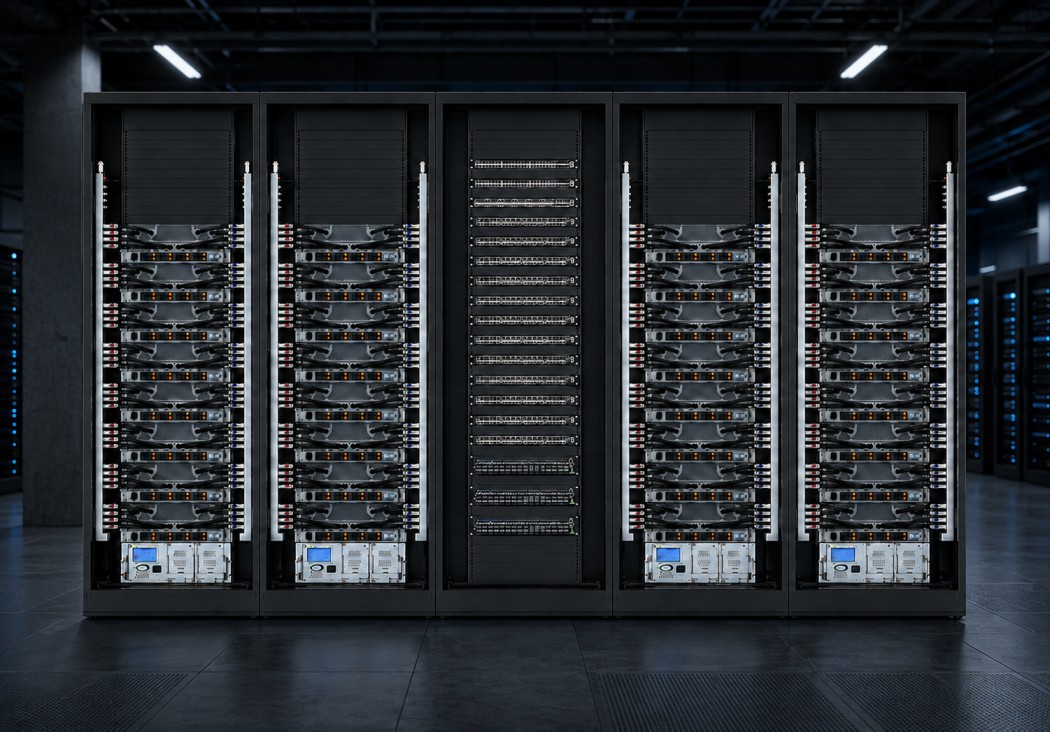
A turnkey GPU cluster is a fully integrated AI compute environment delivered as one package: GPU servers, management and storage nodes, high-speed networking, colocation and power, physical deployment, software configuration, monitoring and ongoing managed operations. The buyer takes delivery of a working cluster from a single accountable partner rather than integrating components across separate vendors.
The distinction matters because a cluster is not a collection of servers. It behaves as one machine. GPUs have to reach each other across an east-west fabric fast enough that synchronization does not stall a training run. Storage has to feed those GPUs without pauses. Security and monitoring need to be live before anything reaches production. Any one of those layers, specified poorly, caps everything above it.
Stage 1: Define the business objective before the hardware
The strongest deployments start with a business question, not a GPU model. Three things need to be clear before a hardware conversation is useful.
- Where the workload runs today. Public cloud, rented bare metal, an existing estate, or nothing yet. This sets the baseline everything else is measured against.
- When capacity is genuinely needed. Lead times are long enough that a date 12 months out and a date this quarter produce different plans.
- What outcome is being bought. Revenue growth, a new revenue stream, a product launch, cost reduction against a cloud bill, or a data control requirement. Each points to a different architecture.
Workload class then narrows the design. Large language model training, high-volume inference, computer vision pipelines, genomics, real-time risk calculation and rendering place different demands on memory, fabric and storage. A model that fits inside one node is a different build from one that needs 32 nodes acting as a single domain. Our guide to data center GPUs and training versus inference economics covers how those profiles diverge.
The step teams skip most often is defining an intermediate infrastructure measure. A goal like reducing cloud spend does not translate directly into a technical target. Utilization rate, cost per token, time to train and queue wait time do. Without those, nobody can tell after deployment whether the investment worked. That objective also has to be paired with an ownership decision: whether to keep consuming cloud GPUs, build an owned environment, use colocation, or combine owned infrastructure with public cloud in a hybrid model. And hardware ownership alone is not enough. The business needs to be ready to operate what it buys, which means staffing, security, maintenance and, where the cluster serves multiple teams or external customers, tenant management. The strongest deployments never start with "which GPU should we buy"; they start with "what business outcome are we trying to achieve, and what infrastructure model actually supports it."
In Cloudian's Enterprise AI Infrastructure Survey 2026, a vendor-commissioned study of 203 enterprise IT decision-makers, 79% reported having already moved AI workloads off public cloud and 73% expected to shift further toward on-premises or hybrid infrastructure within two years. Data control, cost predictability and latency were the drivers cited.
Stage 2: Translate the objective into an infrastructure plan
This is where a business goal becomes a node count, a power envelope and a delivery date.
Sizing starts with usage data, not guesswork. Teams moving from rented bare metal are straightforward: 20 H100 nodes converts cleanly into an equivalent H200 or B300 configuration. Teams consuming models through a public cloud endpoint are harder, because consumption is expressed in tokens and queries rather than hardware. It is still solvable. Token throughput, query volume, peak concurrency, redundancy expectations and regional requirements produce a defensible node count and GPU selection.
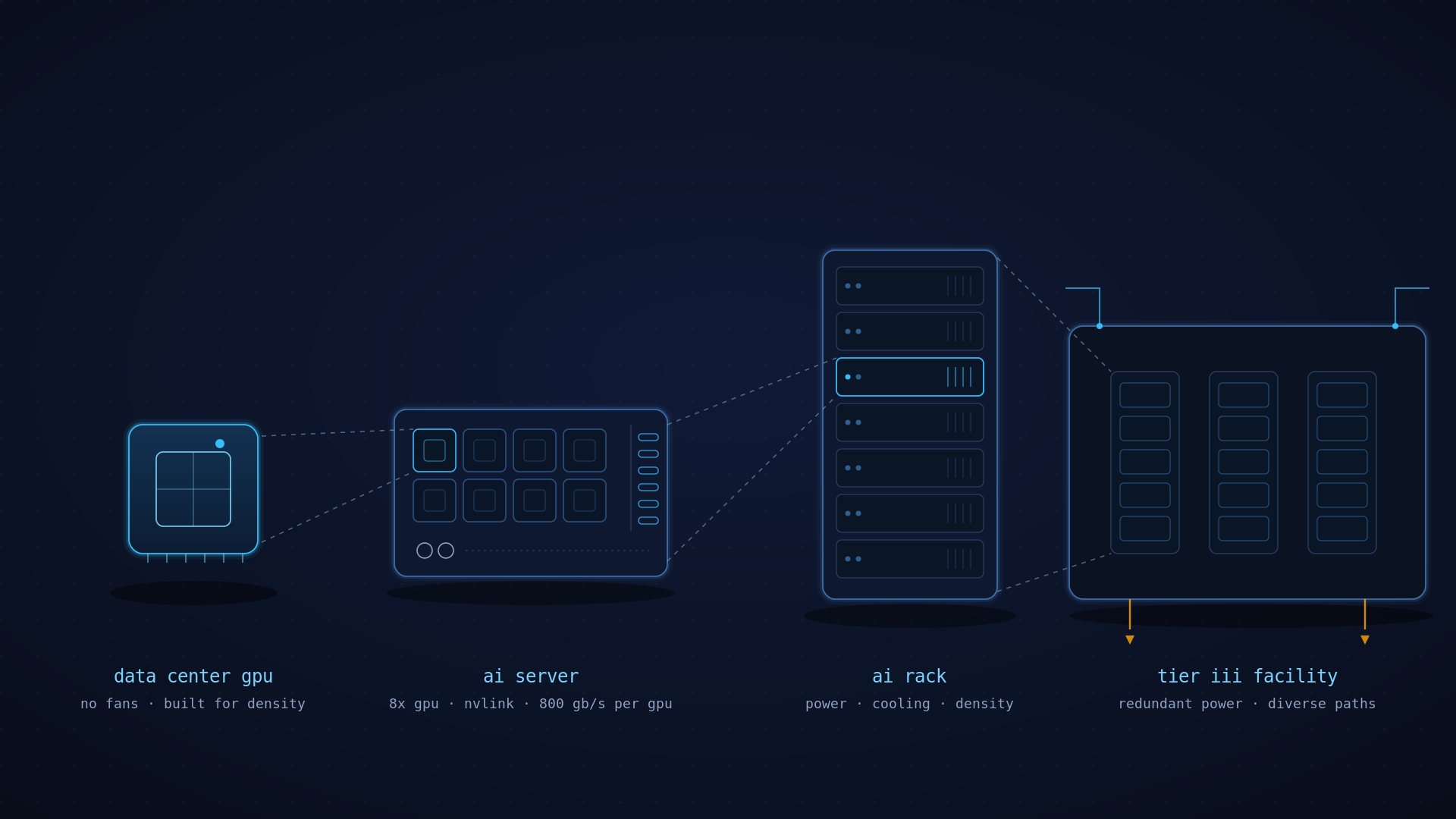
Power is what buyers underestimate most. Not the server budget, the facility. Rack density has moved faster than most colocation contracts anticipated. Lenovo's product documentation for the NVIDIA GB300 NVL72 lists 135 kW of rack thermal design power, rising to roughly 155 kW at peak. A single rack now draws what a small floor used to.
Securing that power is the long pole. JLL's North America Data Center Report for midyear 2026 put vacancy at 1% for the third consecutive year, with most tenants signing today for 2028 deliveries. CBRE's 2026 U.S. Real Estate Market Outlook notes that traditional 12 to 18 month build timelines for sub-50 MW facilities no longer hold, and that new transmission or generation requirements can push interconnection to 24, 36 or beyond 48 months. Power and cooling capacity should be confirmed with a facility before a purchase order is signed, not after.
For teams without their own facility, the practical path is a colocation partner in the target region, selected against latency requirements, available power density and liquid cooling readiness. For teams holding a greenfield or brownfield site, the plan has to cover utility engagement well ahead of equipment. Both routes are covered under private AI cloud deployment models. For some customers, the decision to move off public cloud is driven as much by data sovereignty and privacy requirements as by cost or latency.
Stage 3: The technical components behind a working cluster
Once the business case and site are settled, the cluster comes down to a short list of coordinated technical decisions.
None of these decisions happen in isolation, and none of them happen on the buyer's preferred timeline. Compute lead times, facility power availability, and networking equipment delivery windows rarely align on their own, which means the sequencing of these eight layers matters as much as the choices themselves. Getting this wrong is expensive to unwind after hardware has shipped. This is where working with a partner who has already sequenced these decisions across dozens of deployments pays for itself: Arc Compute helps customers map these layers against their actual timeline before a purchase order is signed, not after.
How long does it take to deploy a GPU cluster?
From signed order to first workload, plan on 8 to 12 weeks for GPU servers and networking to clear manufacturing at suppliers such as Supermicro, Aivres and Dell, then 1 to 2 weeks on site once equipment reaches the facility. Racking and physical build take days. Monitoring, operations tooling and software configuration take the remainder. GPU servers and networking are consistently the longest-lead items.
Everything else in the bill of materials moves faster, which makes the compute and fabric order the critical path and makes early commitment valuable. TrendForce projects the Blackwell family will account for roughly 71% of NVIDIA high-end GPU shipments in 2026, up from 61%, with Rubin facing delays tied to HBM4 validation and interconnect transitions.
One consequence worth planning around: pricing a cluster for a project starting a year out is an estimate, not a quote. Component pricing moves too much. The workable approach is a ballpark for budget approval, then a firm configuration and price when the buyer is close to committing.
How do CAPEX and OPEX split on a turnkey GPU cluster?
Hardware is capital expenditure and is generally paid before delivery, sometimes in full on order and sometimes split 50% on purchase order and 50% on manufacturing completion. It covers GPU servers, CPU and management nodes, storage, switching, optics and cabling: every component the cluster needs to function as one system. Facility and operations are operating expenditure, billed monthly, covering colocation space, power, connectivity and the managed services layer of monitoring, patching, tuning and escalation.
This matters beyond accounting because utilization sits on the operating side of the ledger. A cluster at 30% and a cluster at 85% carry nearly identical fixed costs. The difference lands entirely in what the business gets back, which is the same argument that drives AI inference economics.
What actually breaks after a cluster goes live
Two failure modes account for a disproportionate share of underperforming clusters, and neither is a GPU problem.
Cabling that cannot be maintained
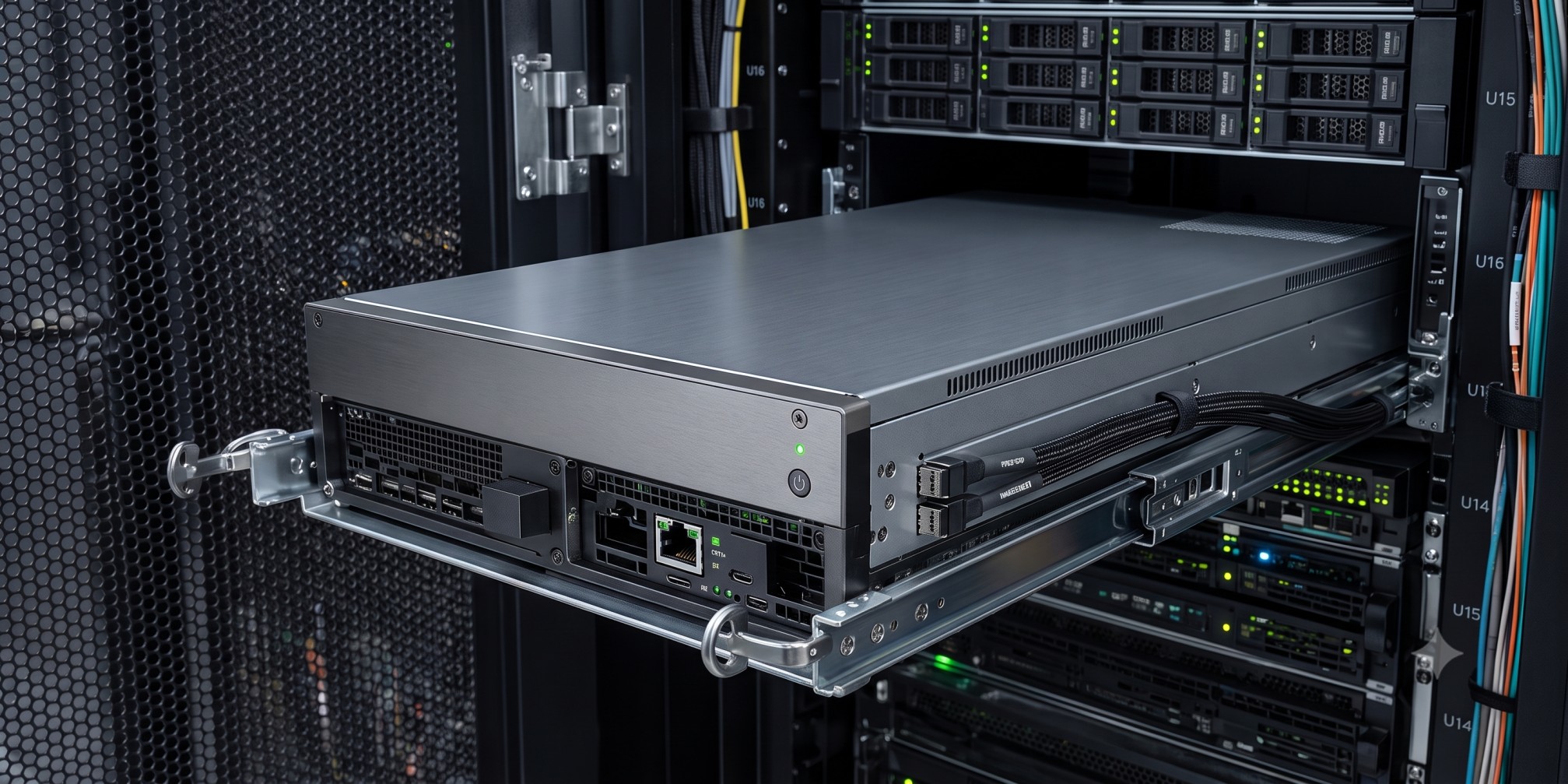
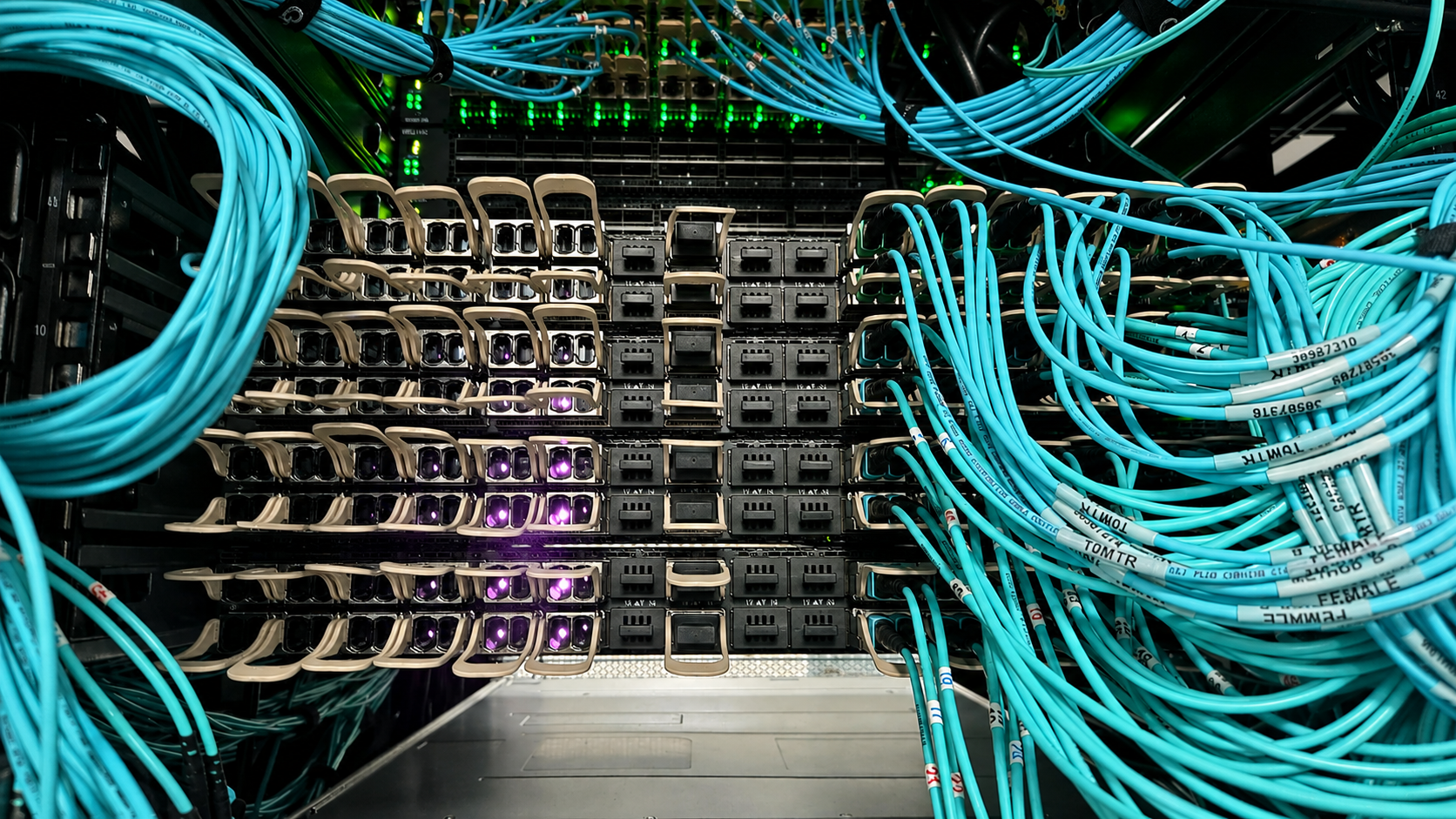
As node counts rise, interconnect complexity rises faster. Cabinets need patch panels, inter-cabinet runs need to be measured and labelled, and every connection documented. When that discipline is skipped, the result is 30 metre cables running between adjacent cabinets and no reliable way to trace a link.
Arc Compute's engineering team has taken over clusters where the cabling was unrecoverable and the only workable option was stripping it out and rebuilding with correctly specified runs before management could be assumed. It is an avoidable cost, and it usually traces back to a build priced on hardware alone. This pattern is often the direct result of buyers prioritizing lowest cost over experience when selecting a build partner, which allows less rigorous vendors to cut corners on cabling discipline.
Storage that starves the GPUs
The more expensive failure is quieter. When storage cannot return data at the rate GPUs consume it, GPUs hold memory and wait. Every component reports healthy. Training is simply slow, and utilization plateaus somewhere in the 50% to 70% range regardless of how much additional work is queued.
NVIDIA's own analysis of research cluster efficiency lists data loading and initialization, checkpoint reads and writes, container pulls and stalled jobs among the recurring causes of GPU idleness. Diagnosing this after the fact takes weeks, because the symptom shows at the application layer while the cause sits three layers down.
The design answer is workload-specific component selection. Arc Compute maintains relationships across multiple storage platforms and selects per deployment rather than defaulting to one, because a checkpoint-heavy training cluster and a latency-sensitive inference cluster need different characteristics. The same logic applies to the choice between InfiniBand and RDMA over Converged Ethernet, and to leaf-spine topology decisions that set how cleanly the cluster scales later. Arc Compute is also seeing more customers request RoCE over InfiniBand specifically, since it delivers comparable performance at lower cost without vendor lock-in.
What disciplined execution looks like
A recent deployment illustrates the sequencing. Arc Compute built a 17-node NVIDIA HGX B300 cluster in Montreal for a client based in the United Kingdom. Power was secured first through a regional colocation partner, ahead of hardware, because utility availability was the binding constraint rather than equipment supply.
Networking was built in parallel with the compute install, and monitoring and operations were handed over as part of the deployment rather than bolted on afterward. The commercial outcome followed the same discipline: 50% of cluster capacity was contracted before the nodes arrived, and the remainder within 2 to 3 weeks of delivery. Cash flow started with the cluster instead of trailing it by a quarter. The client is now expanding the same architecture into additional sites.
Buying the outcome, not the hardware
The questions that determine whether a GPU cluster succeeds are settled long before racks arrive. How much power the facility can actually deliver. Whether storage can keep pace with the workload. Whether the fabric supports the cluster you will need in 24 months rather than the one you are buying today. Whether someone is accountable for utilization once the hardware is running.
Those are architecture and operations decisions, and they are difficult to unwind afterward. Arc Compute works with infrastructure and engineering leaders across financial services, healthcare and life sciences, media production, computer vision and AI-native companies to size turnkey GPU clusters against real workload data, secure power and colocation in the right region, and operate the environment once it is live. If you are weighing a build against another year of cloud commitments, a conversation about your workload profile and timeline is a useful place to start.
Sources
- Cast AI, 2026 State of Kubernetes Optimization Report
- JLL, North America Data Center Report, Midyear 2026
- CBRE, 2026 U.S. Real Estate Market Outlook: Data Centers
- CBRE, Global Data Center Trends 2026
- Cloudian, Enterprise AI Infrastructure Survey 2026
- Lenovo Press, NVIDIA GB300 NVL72 by Lenovo Product Guide
- TrendForce via I-Connect007, Rubin Faces Delays; Blackwell to Drive 70%+ of NVIDIA High-End GPU Shipments in 2026
- NVIDIA Technical Blog, Making GPU Clusters More Efficient with NVIDIA Data Center Monitoring Tools
- VentureBeat, 5% GPU Utilization: The $401 Billion AI Infrastructure Problem
- Data Center Knowledge, AI Demand Surges as Billions in Compute Remain Locked