NVIDIA runs one of the most mature GPU training fleets on the planet. Close to a billion GPU-hours a year, spread across seven cloud providers. And in just three months, five of its best-run clusters pulled nodes out of service 17,421 times.
That number came out of SC26, the Supercomputing conference held in Chicago this November. It set the tone for what we heard all week. The hard problems in AI infrastructure are no longer about which GPU to buy. They are about whether the cluster fits the workload, whether someone is catching faults before they eat your training run, and whether the facility can keep up with the heat.
We went through the full SC26 program and picked three sessions that matter most to teams planning their next GPU deployment. Here is what they found, and what we think it means.
TL;DR: three lessons from SC26
- Design for the jobs you actually run. Across 14 million GPU jobs at 12 research institutions, 90% used a single GPU and 99% stayed on one node. Most buyers need both throughput and rack-scale capacity, in different proportions than the market assumes.
- Reliability is a process, not a spec. In NVIDIA's mature clusters, nodes that failed more than once went a median of 5.1 days between failures, and 12% of nodes caused 37% of all failures. Triage and quarantine rules matter more than the hardware badge.
- Liquid cooling succeeds or fails at the facility handoff. National labs said the biggest unsolved problem is the lag between a power swing and the cooling plant's response, not the cold plates.
Lesson 1: Your workload is probably not a hyperscaler's
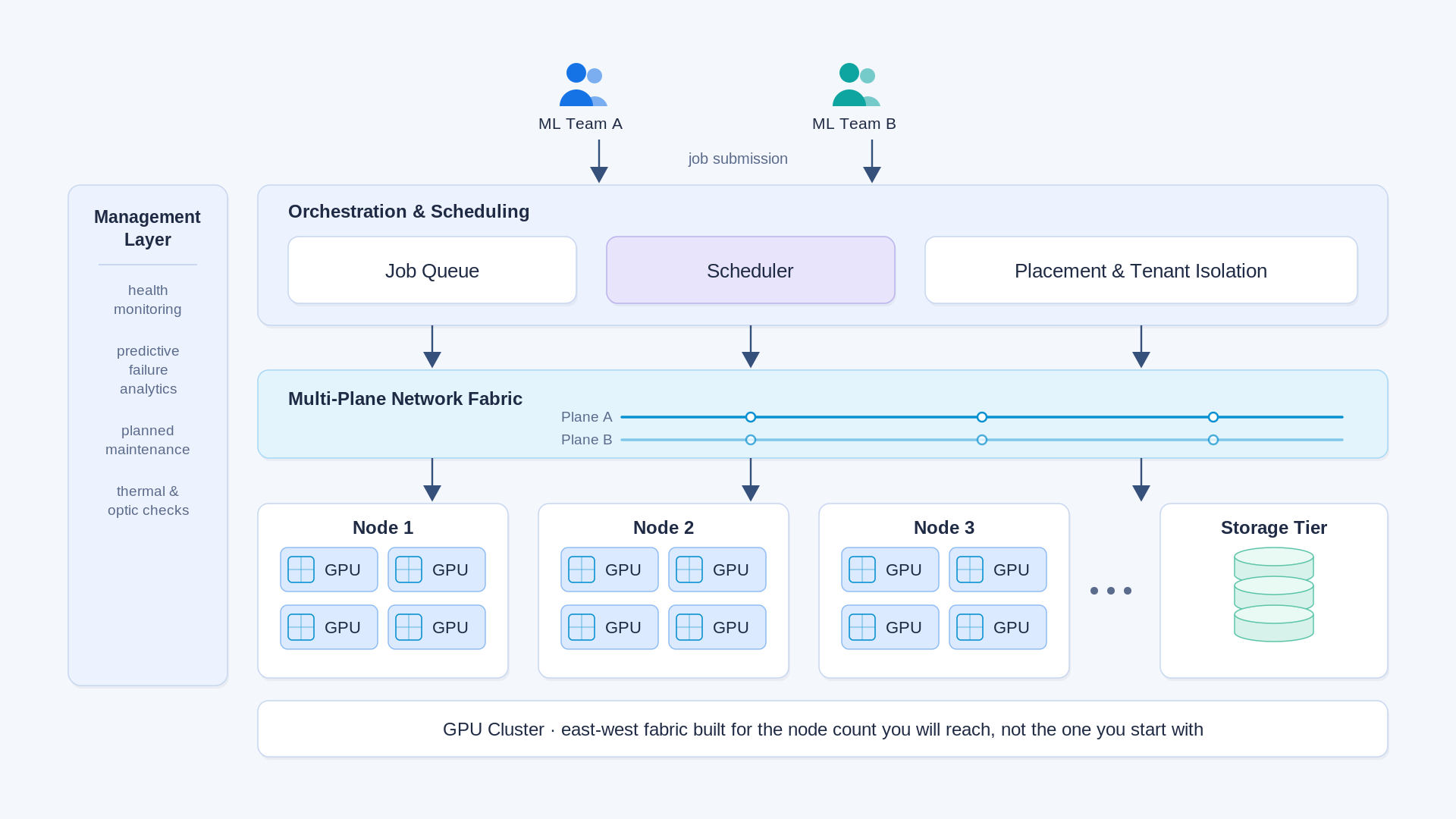
AI hardware is built for the biggest customer in the market, and today that is hyperscaler model training. Rack-scale NVLink domains, fully non-blocking InfiniBand, the works. But is that what everyone else needs?
A group of research computing leaders from Purdue, Illinois, Indiana, Michigan, Washington, the Ohio Supercomputer Center and others set out to answer that with data. Their SC26 paper, Skip the SuperPOD: The User-Driven Case for Throughput-Optimized GPU Clusters, analyzed every GPU job from calendar year 2025 at 12 institutions: more than 14 million jobs on 21 clusters.
The results were remarkably consistent:
- 90% of jobs used one GPU. Those jobs consumed 48% of all GPU-hours.
- 98.8% of jobs and 86.6% of GPU-hours ran on a single node. Their conclusion on that point is direct. Work that never leaves a single node has no use for a top-end interconnect.
- The average job asked for 1.26 GPUs, and the 95th percentile was just 2. The common job sizes were 1, 4 and 8 GPUs.
- Big jobs do exist, and they matter. Washington's Klone cluster ran over 61,000 eight-GPU jobs, mostly large-model fine-tuning. But even there, they were the minority of jobs.
The money behind this is real. The authors note that SXM/NVLink GPUs can carry roughly a $15,000 premium per GPU over PCIe, and that a recent Purdue procurement showed close to a $1 million gap between a fully non-blocking SuperPOD-style network and an oversubscribed one. That budget could buy a lot more GPUs.
There was a second, quieter finding. In a small Purdue sample of eight-GPU jobs, only 26% used more than half of their GPU cycles. The authors argue that tuning the workflows of a handful of power users could free more capacity than buying 10% more hardware.
Their recommendation: build heterogeneous. Make the largest part of the cluster a throughput partition with four PCIe GPUs per node and a modest, possibly Ethernet-based network. Add a smaller partition with NVLink and a non-blocking fabric for the jobs that truly need it. They frame the wider picture as an ecosystem rather than one architecture for everyone, with clear on-ramps from campus systems up to leadership-class resources.
Our take
Read the scope carefully before you apply this. The dataset is academic, the installed base skews toward Ampere-generation GPUs, and the study measures how users request hardware, not how efficiently they use it. The authors say as much, and list commercial AI clusters as future work.
Even so, the pattern is familiar from our own conversations. Enterprises, AI startups and GPU cloud tenants also run a mix of inference, fine-tuning, simulation and the occasional large training run. Very few run frontier training every day. In financial services it is even more pronounced. Monte Carlo risk simulation, portfolio optimization and most fraud scoring are embarrassingly parallel work that rarely leaves a single node, which is the same shape as the university job mix.
That is why we start every turnkey cluster with the workload, not the platform. For a throughput-heavy mix, HGX B300 or RTX PRO 6000 nodes on an Ethernet fabric can deliver far more useful GPU-hours per dollar than a GB300 NVL72. For sustained multi-node training, the NVL72 earns its premium. Most organizations need some of both, sized to their job data. If you have scheduler logs, use them. They will tell you more than any spec sheet.
It also connects to a problem we have written about before: most multi-node clusters deliver less than the team paid for. Choosing the right hardware only gets you to the starting line. Keeping it busy is where the return actually comes from.
Lesson 2: Reliability is a process you measure, not a spec you buy
If the first lesson is about buying the right cluster, the second is about what happens the day after it goes live.
NVIDIA's fleet operations team presented GPU Faults Across Cloud Providers: Characterization and Operational Insights at Scale. Their full fleet spans 18 clusters on seven cloud providers. For the detailed study they selected five of their most mature training clusters, all holding at least 98% node availability, running on three of those seven providers across three GPU generations (A100, H100 and B200). Between January and March 2026, those clusters logged 17,421 "drain events" on 3,990 nodes. A drain happens when the management stack detects a fault and pulls a node out of the scheduler.
The findings worth acting on:
- Nodes fail often, even in good clusters. Among nodes that failed more than once, the median time between failures was 5.1 days per node. The mean was 10.8 days, so planning checkpoints around the average overstates reliability by about 2x.
- Nodes are most likely to fail right after repair. The failure pattern showed a decreasing hazard rate, so a freshly fixed node is the riskiest node in the cluster.
- A small group of nodes causes most of the pain. 11.8% of nodes generated 36.9% of all drains. The best early warning sign: a node that passes its quick post-repair check but fails the fuller health check when it rejoins the pool.
- Reboots hide some problems. ECC memory errors were auto-resolved 96% of the time, but they come back. Just over half of affected nodes saw another drain within 7 days, and when a node did recur, the median gap was only 2.4 hours.
- Automation helps a lot, but not everywhere. 82.4% of drains were resolved without a human. That ranged from 97% for host memory errors down to 56% for GPU Xid errors.
- Bare metal takes longer to repair. Median repair time was 31 minutes on bare metal versus 11 minutes on VMs, because a physical power cycle re-initializes the GPUs, NVLink and network fabric. The authors are clear that this is a difference in reset mechanism, not in reliability. Automation success rates were similar across both, and bare metal buys you direct, un-virtualized access to the hardware in exchange for the slower reset.
- Every cluster is different. Fault profiles varied by cluster, not by GPU generation or provider. GPU thermal alerts made up 43% of events on the B200 cluster and 0% on an H100 cluster, which points to data center conditions rather than the chip.
The authors' advice to operators: set quarantine rules per fault type and per cluster, pull repeat offenders out early instead of rebooting them again and again, and revisit those rules every month.
Our take
If this is what a top-tier operator sees, every GPU buyer should plan for faults as a constant. The question is not whether nodes will fail. It is who catches the failure, how fast, and whether the same bad node keeps coming back.
That gives buyers three useful questions to ask any cloud provider or infrastructure partner:
- What is your median time to repair a node, and does it differ for bare metal?
- What share of faults does your automation resolve without a human?
- How do you identify and remove repeat-offender nodes?
This is also why we burn in every system before it ships and why our managed GPU infrastructure service includes monitoring and lifecycle management. Catching a weak node on our test bench is much cheaper than finding it in the middle of your training run.
Lesson 3: Liquid cooling succeeds or fails at the facility handoff
The third session was less about chips and more about pipes. The Liquid Cooling Interfaces Birds of a Feather session brought together the teams that cool some of the largest systems in the world: LLNL (El Capitan), ORNL (Frontier), CSCS (Alps), Sandia and LRZ, plus Vertiv, HPE and Lenovo.
Their message was clear. Cold plates and CDUs are a solved problem. The boundary between the IT gear and the building's mechanical plant is not.
- Power swings outrun the plant. El Capitan draws 30 to 35 MW, and a 20 MW swing can open every CDU valve at once. Frontier moves from about 8 MW at idle to 30 MW within minutes. At LLNL, the cooling tower basin does not register the spike for 5 to 10 minutes, so operators react to heat instead of getting ahead of it. ORNL described it as "driving while looking in the rear-view mirror."
- Stable beats cold. ORNL stressed that a stable supply temperature matters more than hitting a precise setpoint. With no buffer tank, the water already in the loop is the only thermal cushion.
- Water chemistry is an operations job. In 2024, nodes on Alps overheated because bacteria grew inside the cooling loop, and CSCS could not see inside the nodes, so diagnosis was slow. Adding glycol to fight it cost about 2.5°C of cooling headroom. Panelists warned about "dead legs" in piping where growth hides from routine samples.
- Telemetry frees stranded capacity. Limits set from nameplate power leave capacity on the table. Measured power and thermal data let sites raise limits step by step. One panelist noted that a 100 MW site running at 30 MW strands about 70 MW.
- The fix everyone wants is scheduler integration. If job data (size, energy, duration) fed facility controls, sites could stage cooling before the heat arrives. HPE called it the "holy grail". The blocker is that schedulers and building systems live in separate security domains with no standard interface.
A related SC26 poster on water use at 11 supercomputing centers added a useful reality check: closed-loop liquid cooling does not automatically eliminate on-site water use. That depends on how the facility rejects heat outdoors. At evaporative sites, cooling tower blowdown alone was 15% to 33% of total water use.
Our take
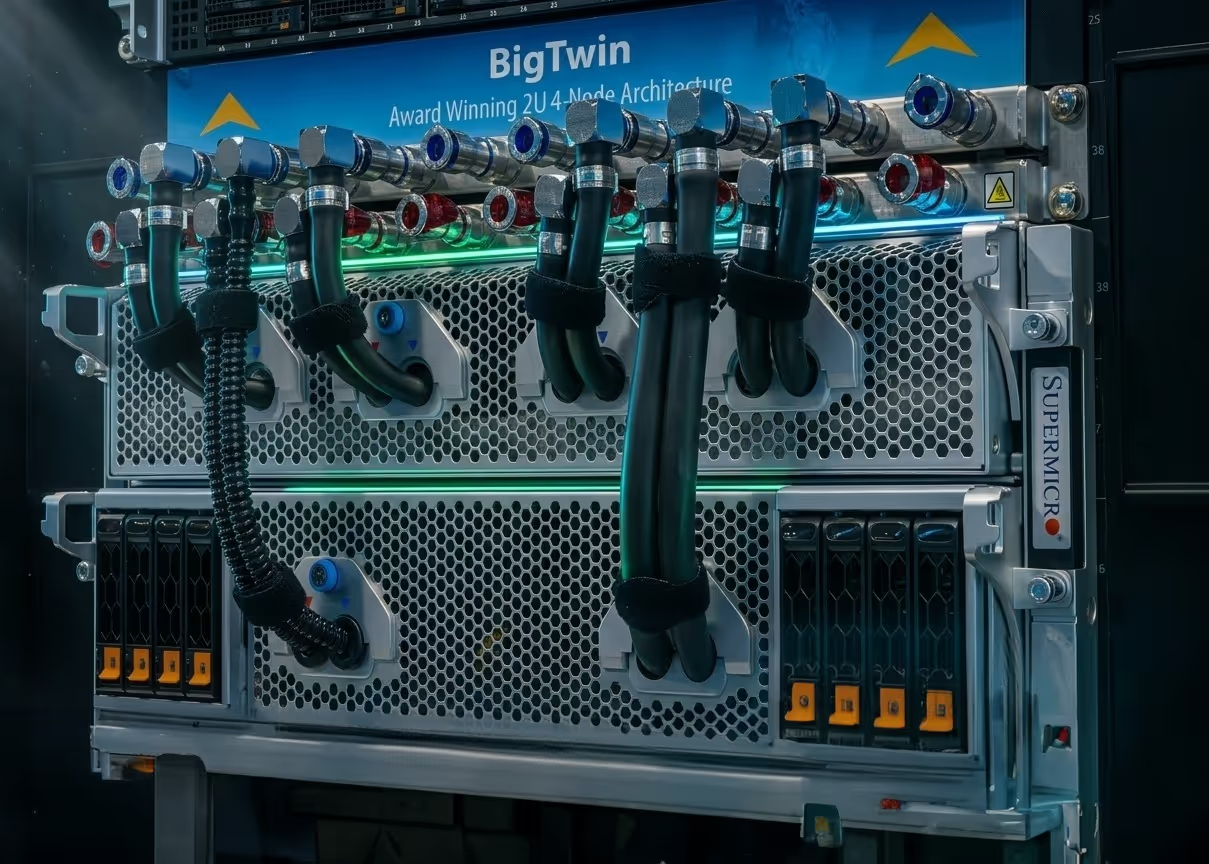
With Rubin-class racks pushing density higher, this is no longer a national-lab problem. Every operator moving to direct liquid cooling inherits the same handoff questions: what supply temperature the facility can hold steady, how fast the plant responds to load, who owns water quality, and how IT and facility telemetry talk to each other.
That is why we design every deployment around the facility's real power and cooling envelope. Our rule is simple: we do not ship systems your facility cannot run. Liquid cooling is not a feature you add at the end. It is designed with the facility from day one.
What this means for your 2027 GPU plan
Put the three sessions together and you get a short checklist for anyone planning a GPU purchase or expansion next year:
- Do you know your job mix? Pull a year of scheduler data. What share of jobs use one GPU, one node, or many nodes?
- Does your platform match it? Put the NVLink and non-blocking fabric budget where multi-node jobs actually run, and use throughput nodes for the rest.
- Who is handling faults, and how is it measured? Ask for time to repair, automation rate and how repeat-offender nodes are handled.
- Can your facility hold a stable supply temperature through a full power swing? Check the plant's response time, not just its rated capacity.
- Have you planned for water and heat? Know your heat rejection method, your water chemistry owner, and whether heat reuse is on the table.
Frequently asked questions
What were the main themes at SC26? Beyond new hardware, many sessions focused on running AI infrastructure well: matching cluster design to real workloads, managing GPU faults at scale, and cooling and powering dense GPU racks. Energy, water and liquid cooling were major topics throughout the week.
Do I need an NVIDIA NVL72 or a SuperPOD-style cluster for AI? Only if a large share of your work is multi-node training. In the SC26 study of 14 million academic GPU jobs, 99% of jobs ran on a single node. For mixed inference, fine-tuning and simulation, throughput-optimized HGX or PCIe nodes often deliver more value per dollar, with a smaller high-end partition for the largest jobs.
How often do GPU nodes fail in production? In NVIDIA's study of five mature training clusters, nodes that failed more than once went a median of 5.1 days between failures. Median repair time was 31 minutes on bare metal and 11 minutes on VMs, and 82% of faults were resolved automatically.
Does liquid cooling eliminate data center water use? No. Closed-loop liquid cooling moves heat away from the chips efficiently, but on-site water use depends on how the facility rejects that heat outdoors. Evaporative cooling towers still consume water.
Planning your next GPU cluster?
Whether you are sizing a first cluster or expanding a GPU cloud, we can help you design around your real workloads, your facility and your operating model. Request a GPU infrastructure assessment or talk to a GPU expert.
Sources
- Smith, P., DeRue, R., Michael, S. et al. Skip the SuperPOD: The User-Driven Case for Throughput-Optimized GPU Clusters. SC26 Workshops (HUST-26), IEEE, 2026.
- Sebastian, K., Ayalasomayajula, D. et al. (NVIDIA). GPU Faults Across Cloud Providers: Characterization and Operational Insights at Scale. SC26, IEEE, 2026.
- Liquid Cooling Interfaces: Optimizing Temperature, Telemetry, Water, and Heat Reuse. SC26 Birds of a Feather, November 17, 2026.
- Martinez, D. et al. HPC and AI Water Usage: Findings From 11 Leading Supercomputing Centers. SC26 poster, 2026.