It’s incredible to think about the fact that just 11 years ago, the FDA only authorized 6 AI and machine learning (ML) medical devices. However, when you jump forward to 2023, that number jumped to 221 within that single year. More recently (as of late 2025), the cumulative total stands at over 1,300 authorized AI-enabled imaging devices, with radiology accounting for nearly 80 percent of all approvals.
Looking back on these numbers, you can quickly see how the shift to AI is not a simple trend, but a more monumental move in how diagnostic medicine works.
In fact, the global AI in medical imaging market reached $2.01 billion in 2025 and is expected to grow more than tenfold to $22.97 billion by 2035(growing at a CAGR of 27.57%).
When you analyze where this investment has gone, you see that on-premises deployment models dominate. In 2025, they accounted for 58 percent of the market, reflecting the compliance and latency realities that push healthcare organizations toward controlled infrastructure over public cloud.
The demand is clear - but when it comes to what holds AI initiatives back? It’s not algorithm quality, but the GPU infrastructure underneath them - a subject we’ll explore in depth.
This guide covers what optimal on-premises GPU infrastructure for medical imaging AI looks like in 2026:
- real hardware requirements,
- HIPAA architecture,
- the radiology-vs-pathology infrastructure divide,
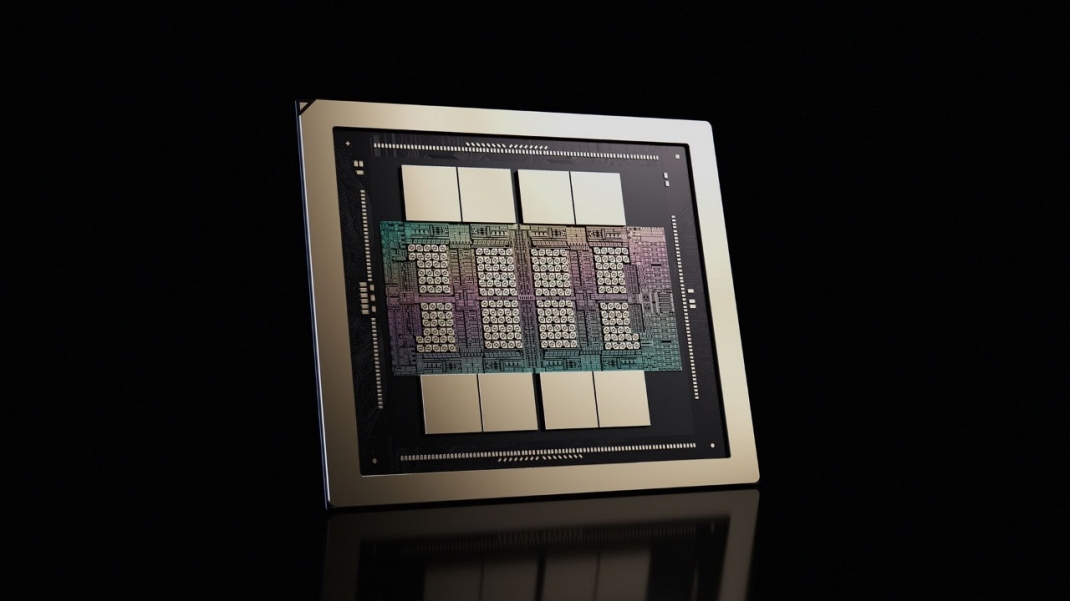
- and why NVIDIA Blackwell matters for clinical workloads specifically.
Let’s dive in.
Why Medical Imaging AI Is Harder on Infrastructure Than Most Teams Expect
Medical imaging AI workloads are unlike standard enterprise AI.
The data volumes, latency requirements, and compliance constraints all demand infrastructure that’s designed specifically for healthcare.
As an example, a whole slide image (WSI) in digital pathology scanned at 40x magnification sits at around 100,000 x 100,000 pixels, which is roughly 2GB compressed and up to 30GB uncompressed. Here’s what that amounts to when you scale that to a production pathology department:
In radiology, data volumes are more manageable, but latency requirements are dramatically tighter.
For example, an AI triage tool for acute stroke or pulmonary embolism must return results within the clinical window of relevance, often within seconds of scan acquisition.
You can see how this then becomes a real-time inference problem requiring dedicated, low-jitter GPU access that public cloud configurations cannot reliably deliver.
Radiology AI vs. Pathology AI: Two Fundamentally Different Infrastructure Problems
When considering any solution, it always helps to be laser focused on the exact problem that you’re attempting to solve.
In healthcare, the issues can shift depending on the department. For instance, by the very nature of the work undertaken in radiology, which requires speed and precision, latency can become an enormous issue.
In contrast, the high GPU memory and storage demands of pathology are clear, given the complexity of the imaging that’s produced.
Here’s a head-to-head infrastructure comparison that makes the challenges within each department clear:
Head-to-Head Infrastructure Comparison
Radiology: Overcoming the Latency Problem
As mentioned above, one of the central issues within radiology is that latency requirements are dramatically tighter.
One of the ways that healthcare organizations are managing these requirements is with NVIDIA's MONAI framework, which is deployed across Siemens Healthineers' Syngo Carbon and syngo.via platforms.
To quantify how prevalent MONAI is, you can consider that it now covers over 15,000 clinical devices globally. Plus, institutions including Mayo Clinic and UCSF have used MONAI Deploy to run AI models for hip fracture detection, liver tumor segmentation, and foreign body detection directly inside clinical radiology workflows.
Here’s a deeper look into what on-premises radiology AI GPU infrastructure requires:
- Dedicated inference servers separate from general hospital compute
- NVMe flash storage co-located with inference nodes to eliminate DICOM retrieval latency
- High-bandwidth PACS connectivity (the system that stores and routes all imaging data)
- Low queue jitter for consistent, predictable response time across concurrent AI models
Pathology: The Memory and I/O Problem
Because whole slide images cannot fit into GPU memory at full resolution, pathology AI pipelines use patch-based processing: breaking each gigapixel slide into thousands of tiles, generating embeddings per tile, then aggregating results. For a 40x magnification nuclear segmentation task, a single slide can yield up to 709,000 nuclear centroids that must each be stored, transferred, and processed.
Here’s an overview of what the I/O math looks like in practice:
What digital pathology AI GPU infrastructure requires:
- Multi-GPU nodes with 80GB+ VRAM as a minimum viable starting point for production WSI inference
- GPUDirect Storage for Direct Memory Access (DMA) transfers between NVMe and GPU memory, bypassing CPU overhead
- NVMe-backed parallel file systems co-located with compute
- 400GbE/800GbE interconnects between storage and compute to eliminate network as the bottleneck
The HIPAA Problem That Catches Most Infrastructure Teams Off Guard
HIPAA compliance obligations for AI workloads extend all the way to the GPU, creating an architectural problem.
The core tension is that traditional compliance frameworks were built for static systems, while GPU workloads are dynamic and high-throughput. Data moves across nodes, memory containers, and interconnects in milliseconds, making consistent access control, immutable logging, and strict tenancy isolation difficult to guarantee in standard multi-tenant cloud environments.
In January 2025, HHS OCR proposed the first major overhaul of the HIPAA Security Rule in 20 years, explicitly addressing dynamic AI compute environments and removing the distinctions that previously allowed more flexibility in how organizations managed electronic protected health information (PHI) in high-throughput workloads.
HIPAA-Aligned GPU Infrastructure: What Every Layer Requires
The Clean Hybrid Architecture
The key principle: You must be able to demonstrate data residency to an auditor, instead of simply asserting it contractually.
Why NVIDIA Blackwell Changes the Equation for Medical AI in 2026
The HGX B200, now in volume production as of early 2026, represents a major leap in performance, memory bandwidth, model size handling and real-time AI deployment.
It delivers 192GB HBM3e memory per GPU at 8 TB/s memory bandwidth: a 2.4x memory increase over the H100. A full DGX B200 system (8 GPUs via fifth-generation NVLink at 1.8 TB/s) delivers 3x faster training and 15x faster inference versus DGX H100.
The following table compares it (Blackwell) to its predecessors, H100 and H200 (Hopper).
GPU Generation Comparison for Medical AI
For pathology AI specifically, larger GPU memory means larger image patches can be processed without the tiling workarounds that sacrifice spatial context and model accuracy. For foundation models like Microsoft's Prov-GigaPath, pretrained on over 1.3 billion pathology image tiles, the memory capacity of Blackwell enables inference configurations that were not practical on H100 hardware.
Upgrade Decision Framework
Note: Some of these platforms are no longer available but they are mentioned here for illustrative purposes, should an organization already have them deployed.
You can read this blog to understand recent GPU availability.
What Production Healthcare GPU Infrastructure Looks Like in 2026
There are five distinct layers to healthcare GPU infrastructure for medical imaging, and each needs due consideration so that you can avoid creating a bottleneck - or worse, a liability.
1. Compute
- Multi-GPU nodes dedicated to imaging AI, not shared with general hospital compute
- Physical isolation from non-PHI infrastructure
- GPU-aware Kubernetes scheduling with per-application resource quotas
2. Storage
- NVMe-backed parallel file systems co-located with GPU nodes
- DICOM-aware storage management for radiology archives
- WSI format support (SVS, NDPI, MRXS) with vendor-agnostic access APIs for pathology
- Petabyte-scale capacity planned from day one
3. Networking
- 400GbE or 800GbE between compute and storage for pathology pipelines
- Dedicated low-latency switching for radiology inference clusters
- Isolated VLANs or physical network segmentation for PHI workloads
4. Orchestration and Software
- NVIDIA MONAI Deploy for clinical AI application packaging
- Triton Inference Server for concurrent multi-model serving in radiology
- NVIDIA FLARE for federated learning across sites where data must remain local
5. Compliance and Security
- Hardware attestation and confidential computing for PHI workloads
- Immutable audit logs covering all PHI interactions
- Role based access control (RBAC), which restricts access based on role level instead of individual identity, needs to be integrated with hospital identity management (LDAP/Active Directory)
- Signed BAAs covering every infrastructure layer
The Real Risk: Infrastructure That Needs Re-Architecture at Scale
The infrastructure supporting medical imaging AI needs to be planned with the same rigor you would apply to any other clinical system.
Healthcare organizations that get GPU infrastructure right from the start are the ones who apply this rigor. The result is a system that’s designed for compliance, built for the workload, and planned at the scale that you will be operating at in three years time (not the scale you are at today).
The teams that get it wrong tend to follow a predictable pattern. They start on shared cloud GPU instances, hit HIPAA questions 12 months in and discover storage latency is throttling their pathology pipeline, as their radiology inference queue competes with other hospital compute workloads. The next 18 months (and a significant amount of budget) is then spent rebuilding what should have been architected correctly the first time.
Ready to Build Infrastructure That Won't Hold You Back?
Arc Compute works with hospitals, healthtech startups, and research institutions to design, deploy, and support NVIDIA GPU clusters built specifically for clinical AI workloads: from HIPAA-aligned architecture and on-premises data sovereignty, to Blackwell hardware procurement and long-term performance optimization for medical imaging teams.
Talk to our team at arccompute.io
Frequently Asked Questions
1. What GPU memory is required for digital pathology AI?
A minimum of 80GB GPU VRAM per GPU is required for production whole slide image (WSI) inference at 40x magnification. For concurrent multi-slide pipelines or training workloads, multi-GPU nodes with NVIDIA H200 (141GB) or Blackwell B200 (192GB) configurations are recommended.
2. Is public cloud GPU infrastructure HIPAA compliant for medical AI?
Public cloud GPU instances can be made HIPAA compliant with appropriate BAAs and configuration controls, but multi-tenant environments introduce audit trail complexity that dedicated on-premises or colocation GPU clusters avoid by design. For PHI-adjacent inference workloads, on-premises infrastructure is the more defensible architecture.
3. What is the difference between radiology AI and pathology AI infrastructure requirements?
Radiology AI is primarily a latency-sensitive inference workload requiring fast PACS connectivity and low-jitter GPU response times. Digital pathology AI is dominated by GPU memory pressure and storage-to-compute throughput, requiring high-memory GPU nodes and NVMe storage co-located with compute. They should be treated as separate infrastructure planning problems.
4. Should hospitals use NVIDIA Blackwell or Hopper GPUs for medical imaging AI in 2026?
For new deployments, Blackwell (B200 or B300) is the right generation for pathology AI and multimodal foundation model workloads. H200 remains strong for single-modality radiology inference at moderate scale. H100 configurations are still viable for existing deployments but should not be the basis for new capital planning.
5. What is NVIDIA MONAI and why does it matter for hospital AI infrastructure?
MONAI (Medical Open Network for AI) is NVIDIA's open-source framework for medical imaging AI, now deployed across over 15,000 clinical devices globally via Siemens Healthineers. MONAI Deploy enables AI models to be packaged as containerized clinical applications that run on on-premises GPU infrastructure integrated directly into clinical workflows.
6. What networking speed is needed for digital pathology AI pipelines?
A minimum of 10 Gbps between storage and compute is required for practical pathology AI throughput. Production-scale deployments benefit from 400GbE or InfiniBand interconnects. GPUDirect Storage enables direct DMA transfers from NVMe to GPU memory and can deliver up to 11.8x acceleration for parallel slide processing.
Sources
FDA AI-Enabled Medical Device List (2025): U.S. Food and Drug Administration
The Imaging Wire, AI Medical Device Authorization Counts (December 2025)
Precedence Research, AI in Medical Imaging Market Report (December 2025)
Andrew Janowczyk, Case Western Reserve University: Whole Slide Image Resolution and File Size Reference
MDPI Digital Pathology Review (2024): WSI data specifications
Peer-reviewed digital pathology infrastructure literature: Storage scale estimates
NVIDIA Technical Blog: MONAI + RAPIDS for Digital Pathology: 709,000 nuclear centroids per slide; GPUDirect Storage 11.8x acceleration figure
NVIDIA cuCIM Documentation: GPUDirect Storage parallel read performance
NVIDIA Blog, RSNA 2024: MONAI deployment across 15,000+ Siemens Healthineers clinical devices
NVIDIA DGX B200 Datasheet (2025): B200 memory specs, NVLink bandwidth, training and inference performance vs. H100
NVIDIA Blackwell Architecture Datasheet (2025): GPU memory and bandwidth specifications
Exxact Corporation GPU Comparison Guide (2025-2026): H100, H200, B200, B300 comparison
Nature (2024): Microsoft Prov-GigaPath, pretraining on 1.3 billion pathology image tiles
HIPAA Vault (2025): GPU infrastructure compliance requirements under HIPAA
WhiteFiber Technical Documentation: GPU Infrastructure Compliance in Regulated Healthcare AI
HIPAA Journal (January 2025): HHS OCR proposed HIPAA Security Rule overhaul
HHS Office for Civil Rights (OCR): HIPAA Security Rule (45 CFR Part 164)